 LeafBound
- Choose View then Writing sprint….
- Under Write for, pick a length from 5 to 90 minutes. It starts at 25.
- To write in rounds, pick a rest under Then rest for and a number under Rounds. Check Chime at each change to hear a chime when writing and resting change over.
- Choose Start, then write in the book.
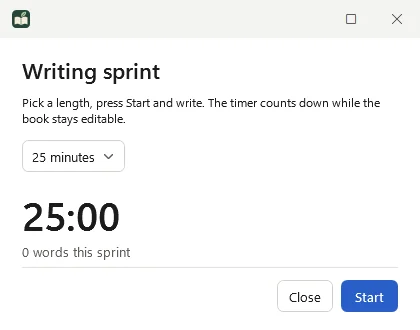
- The window stays open beside the book while you type. The clock counts down and the line under it counts the words written since you started.
- Choose Stop to stop early. The clock shows Stopped.
- While it runs, choose Lap to note the words written since the last lap. The laps are listed under the clock.
- Each sprint is kept in the book; View then Writing progress lists your recent sprints.
- When the time is up the clock shows Done, and the window and the status bar show "Sprint finished" with your word count.
- Closing the window stops the sprint.
- A sprint changes nothing in your book. Words you delete during a sprint lower its count.
Related
Still stuck?
Choose Help then Report a problem… in LeafBound to send us the details, or write to support.