 LeafBound
Ebooks
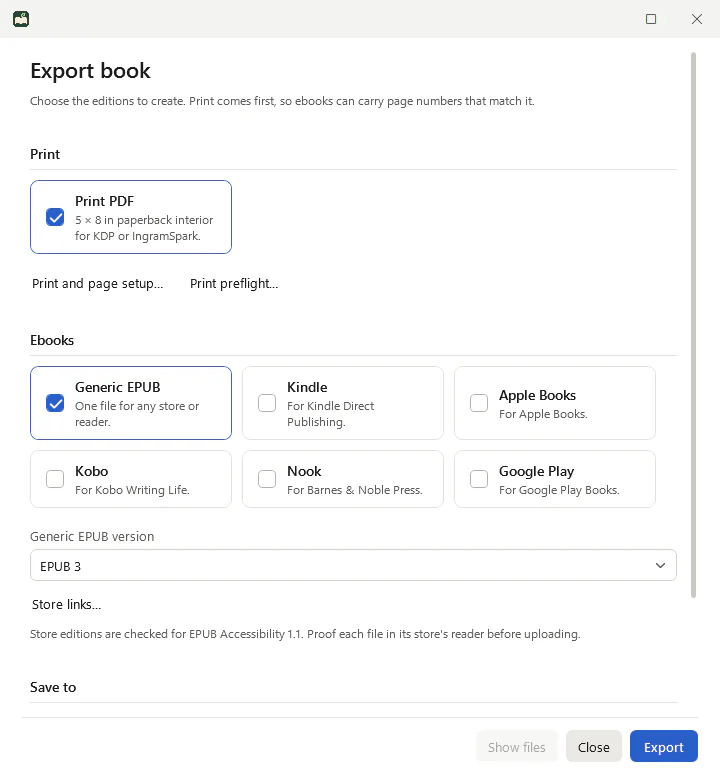
One source. Six ebook editions, each one accessible.
LeafBound exports a generic EPUB 3 and store editions for Kindle, Apple Books, Kobo, Nook and Google Play from the same book, each with its own store links, EPUB Accessibility 1.1 metadata and, when you export print first, page numbers that match the paperback.
One source, six editions
You format the book once. At export you tick the editions you want, and each is adjusted for its store with the right “Also by” links.
| Edition | What it is | Store links point to |
|---|---|---|
| Generic EPUB 3 | Any store or direct sale; EPUB 2 available for older readers | Your own links |
| Kindle | EPUB for upload to KDP; warns about images larger than KDP’s guidance of 5 MB | Amazon |
| Apple Books | EPUB prepared for Apple Books | Apple Books |
| Kobo | EPUB prepared for Kobo | Kobo |
| Nook | EPUB prepared for Nook | Nook |
| Google Play | EPUB prepared for Google Play Books | Google Play |
What a store edition adjusts
Each edition points its store links at its own store, so the “Also by this author” list in the Kindle edition goes to Amazon and the Kobo edition’s goes to Kobo. The Kindle edition also warns about any image larger than KDP’s guidance of 5 MB. Everything else is identical, so a correction made once is made everywhere. Contributor metadata names editors, translators and illustrators with their roles, and an anthology’s contents list each chapter’s author.
The generic EPUB 3 is for direct sales, libraries and any store not listed. Choose EPUB 2 when a reader or device needs it.
Accessibility
Accessible EPUB 3, with the metadata stores look for.
EPUB Accessibility 1.1 asks for specific metadata, a sensible reading order and descriptions for images. LeafBound writes the metadata and asks you for the descriptions.
- EPUB Accessibility 1.1 metadata: accessMode, accessModeSufficient, accessibilityFeature, accessibilityHazard, accessibilitySummary and dcterms:conformsTo, in every edition.
- Semantic roles and reading order, so a screen reader moves through the book the way a sighted reader does.
- Page list that matches print: export the print edition first and the ebook carries a page list mapped to the printed pages.
- Image descriptions: before export, LeafBound asks for any that are missing, and it marks the ebook accessible only when every image that matters has one.
- Tested with EPUBCheck and Ace by DAISY in LeafBound’s test suite. Run both on your own export too; the ebook checklist shows how.
Styling that leaves the reader in charge
Reader settings win
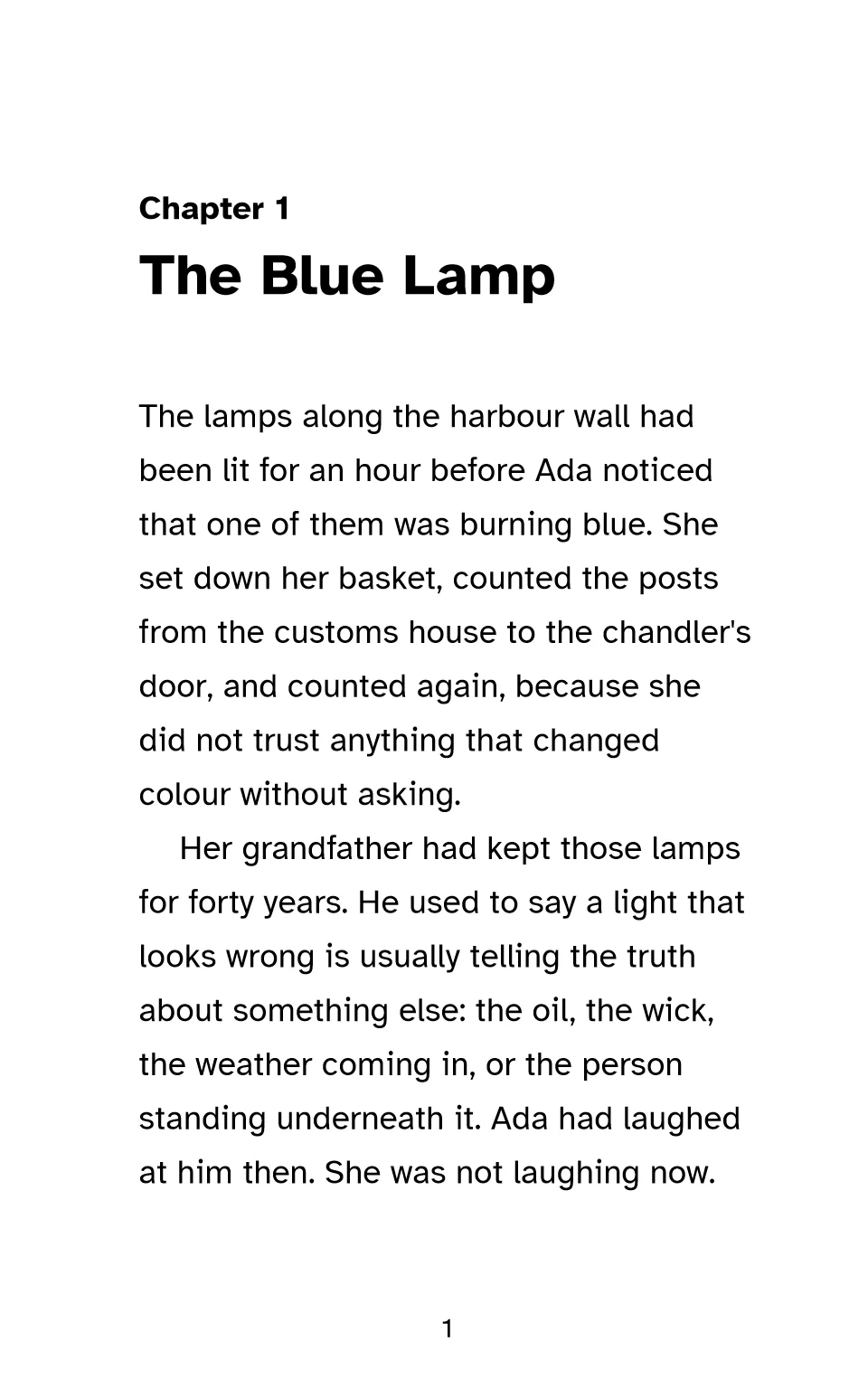
Ebook styling follows your theme’s typefaces, chapter openings and ornaments, but never fixes the page color or forces a text size. A reader who needs 24 pt white-on-black gets it.
Notes become linked notes
Footnotes that sit at the foot of the printed page become linked notes in the ebook: follow the marker to the note, then the link back to the text. See footnotes in ebooks.
Equations as MathML
With LeafBound Academic, LaTeX equations export as MathML, so they scale with the text instead of becoming blurry pictures. See the Academic tools and the equations guide.
Ebook preview
See the ebook before the store does.
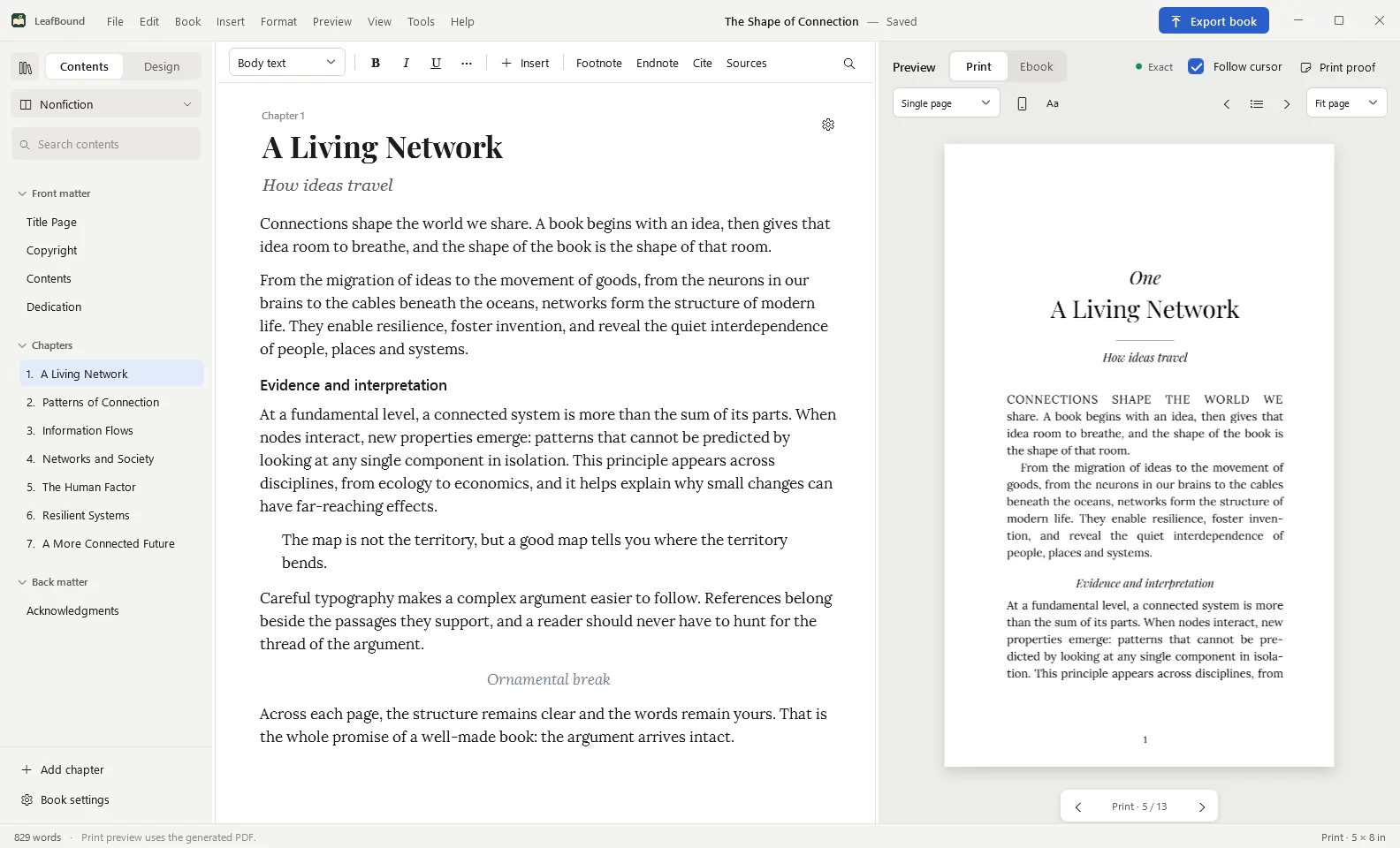
The ebook preview shows your book the way a reading app would, beside the print preview that is built from the real PDF.
- Ebook preview for the reflowable editions, to check chapter openings, notes and images before export. It needs Microsoft Edge WebView2.
- Print preview from the same book, for the paperback you export first. More on the print books page.
- Kindle Previewer is still the last check for the Kindle edition, because KDP converts your EPUB on upload. The Kindle formatting guide walks through it.
Word in, EPUB out
Most manuscripts start in Word. LeafBound imports the .docx, finds the structure even when it was typed by hand, and exports the editions. Here is how that differs from a converter and from Kindle Create.
| LeafBound | Calibre | Kindle Create | |
|---|---|---|---|
| What it makes | EPUB 3 or 2, plus Kindle, Apple Books, Kobo, Nook and Google Play editions, and the print PDF | An EPUB converted from a file you already have; check Calibre’s documentation for what its conversion keeps | KPF, which only Amazon accepts, plus print from the same project |
| Design | 14 core themes in Author, all 128 in Pro, each adjustable | Not stated | About 4 locked themes |
| Footnotes and images | Imported from Word; linked notes in the ebook; image description prompts | Not stated | Tables, lists, footnotes and inline images cannot be edited |
| Accessibility metadata | EPUB Accessibility 1.1 on every edition | Not stated | Not stated |
| Print page list | Mapped to the print edition when print is exported first | Not stated | Not stated |
| Price | $79 once | Free | Free |
The Word import guide lists what comes across from a .docx. For the full market, see every formatter compared.
The European Accessibility Act, in two sentences
Directive (EU) 2019/882 has applied to ebooks sold in the EU since 28 June 2025, with an exemption for microenterprises and backlist deadlines that vary by country. An EPUB with EPUB Accessibility 1.1 metadata, a proper reading order and image descriptions is what the act expects, and the EPUB accessibility guide explains the rest.
Straight answers
Fixed layout, MOBI and KFX.
- Fixed-layout ebooks (Pro), for picture books that need every page laid out exactly, from the same pages as the print book. They have not been tried on a Kindle device or in Kindle Previewer, so check yours there before you publish. See picture books.
- Classic MOBI for older Kindles; KDP takes the EPUB.
- No KFX. LeafBound does not write KFX; KDP converts the EPUB itself.
Ebook questions
What file do I upload to KDP for a Kindle ebook?
An EPUB. KDP has not accepted MOBI for reflowable ebooks since 2021 (checked 31 October 2026). KDP converts your EPUB for Kindle devices and apps, so check the result in Kindle Previewer. LeafBound’s Kindle edition is an EPUB prepared for that upload. LeafBound also writes classic MOBI for older Kindles; KDP takes the EPUB.
Do I need Kindle Create?
No. Kindle Create is free, but it writes KPF, which only Amazon accepts, and it has about four locked themes. LeafBound makes one book for Kindle and for Apple Books, Kobo, Nook and Google Play, plus a generic EPUB for anywhere else.
Can LeafBound turn a Word file into an EPUB?
Yes. Import the Word (.docx) manuscript and smart import finds the title page, parts, prologue and chapters, even in a manuscript formatted by hand, and brings across headings, footnotes, images and emphasis. Markdown, plain text and EPUB files import the same way. Choose a theme, check the ebook preview and export the editions you need. You can export an editable .docx again at any time.
Is the EPUB accessible?
Every edition carries EPUB Accessibility 1.1 metadata, semantic roles and a reading order, and LeafBound asks for missing image descriptions before export. It marks an ebook accessible only when every image that matters has one. The ebooks are tested with EPUBCheck and Ace by DAISY; that is testing, not certification.
Will ebook page numbers match my print book?
Yes, if you export print first. LeafBound then adds a page list mapped to the print edition, which reading apps use for “go to page”, so a class or a book club can cite the same page in either format.
Can readers change the font and size?
Yes. Ebook styling follows the theme but never fixes the page color or forces a text size, so the reader’s own settings win. That is also what the accessibility rules expect.
Does the European Accessibility Act apply to me?
Directive (EU) 2019/882 has applied to ebooks sold in the EU since 28 June 2025. Microenterprises, under 10 staff and under 2 million euro turnover, are exempt, and backlist deadlines vary by country. See the EPUB accessibility guide.
Keep reading
Export every ebook edition from one book.
Import your manuscript and export every edition, with accessibility metadata. Try every tool free for 4 days, then buy LeafBound to export.
Early access · Author from $79 once · free 4-day trial · Windows 10 and 11