 LeafBound
Guide · Academic
Typesetting equations in a book, for print and ebook.
Print is the easy half: a LaTeX-quality PDF looks the same on every press. The ebook is where equations go wrong, because each reading app decides for itself whether it can render MathML. This guide gives the print-versus-ebook rules, a dated support matrix for the main readers, and the numbering, sizing and accessibility decisions.
Print versus ebook
A printed equation is a drawing: once the typesetter has placed every glyph, the PDF carries the result and the press reproduces it. An ebook equation is a description: MathML markup that says “a fraction with this numerator and this denominator, under a square root”, which the reading app draws at whatever size the reader has chosen. The first is solved; the second depends on the app.
| Print (PDF) | Ebook (EPUB) | |
|---|---|---|
| What the equation is | A typeset object in the PDF, placed by the layout engine | MathML in the XHTML, rendered by the reading app |
| Source | LaTeX | The same LaTeX, converted to MathML |
| Quality | As good as the typesetter: print-quality spacing, fences and fonts | Depends on the reader; see the matrix below |
| Fallback | None needed | An image of the equation with alt text, for readers without MathML |
| Sizing | Fixed by the design | Scales with the reader’s text size; fixed widths break reflow |
| Accessibility | PDF tagging is poor for math; the ebook is the Accessible version | MathML is read by screen readers; an image is not |
| Numbering | (chapter.number) at the right margin | The same numbers, so citations match |
Two consequences. First, write the equation once, in LaTeX, and let a tool produce both forms; retyping MathML by hand is slow and error-prone. Second, give every ebook equation an image fallback with alt text, so a reader whose app lacks MathML still sees the equation and a screen reader still hears a description.
MathML support by reading system
There is no authoritative page that says which readers render MathML today, so this table cites each vendor’s own documentation and says plainly where none was found. Every row carries the date it was checked. “Check in the reader” means exactly that: open your EPUB in the app before you sell it there.
| Reading system | MathML | Source | Date |
|---|---|---|---|
| Apple Books | Described as supported: the Asset Guide calls MathML the way to represent math in EPUB 3 for display and assistive technology. | Apple Books Asset Guide 5.3.1, February 2025 | Checked 3 November 2026 |
| Kobo | Supported on Kobo’s iOS, Android, Desktop and eInk platforms, per Kobo’s specification, which recommends testing on each. | Kobo EPUB specification (kobolabs/epub-spec on GitHub) | Checked 3 November 2026 |
| Thorium Reader (Readium) | MathML support listed in the release notes for Thorium 3.4.0. | thorium.edrlab.org | Checked 3 November 2026 |
| Kindle (KFX, Enhanced Typesetting) | MathML support listed among the Enhanced Typesetting features for reflowable books. Devices without Enhanced Typesetting get a KF8 version; check in Kindle Previewer. | KDP “Enhanced Typesetting and Page Flip” help page | Checked 3 November 2026 |
| Google Play Books | No published statement found. Check in the reader with your own file. | None found | Checked 3 November 2026 |
| Nook | No published statement found. Check in the reader with your own file. | None found | Checked 3 November 2026 |
Numbering by chapter
Number equations as (chapter.number): (3.1), (3.2), (3.3), restarting in every chapter. Put the number at the right margin of a display equation, in parentheses, in the body size. Number only the equations the text refers to; a derivation of six lines with one result needs one number, on the result. Keep the same numbers in the print and ebook editions, because a reader of the ebook will cite “equation 3.2” to a reader of the paperback. Theorems, figures and tables follow the same chapter-first scheme, so a book does not have equation (4.1) next to figure 12.
Inline versus display
An inline equation sits in the sentence: a variable, a short product, a simple fraction written with a slash. It must not be taller than the line, or it opens a gap above and below. A display equation stands on its own line, centered or indented, with space before and after and the number at the right. Anything with a tall fraction, a sum or integral with limits, a matrix, or a number goes in display. In ebooks the rule is stricter: a tall inline equation reflows badly on a phone, so when in doubt, display.
Sizing
In print, equation type matches the body size, and symbols inside fractions and limits step down in the standard way (about 70% and 50%). Resist shrinking a long equation to fit the measure; break it at an equals sign or an operator instead, aligning the continuation lines. In ebooks, MathML scales with the reader’s chosen text size, so a long equation that fits a tablet may overflow a phone. Let the reading app wrap where it can, keep display equations free of fixed widths, and check the phone preview. An image fallback should be at least twice the display resolution of the text, with the alt text carrying the equation in words or in LaTeX.
Accessibility: MathML is what screen readers read
A screen reader cannot read a picture of an equation. It can read MathML, element by element, and a braille display can render it in math braille. That is why MathML is the practical route to an accessible math book, and why the European Accessibility Act (see EPUB accessibility) pushes publishers toward it. Declare it in the package metadata as an accessibilityFeature of MathML, give each equation an alttext attribute or a fallback image with alt text, and mention equations in the accessibilitySummary. Where a reader lacks MathML, the alt text on the fallback image is what gets read, so write it as a sentence, not as a file name.
What KDP accepts
For a paperback or hardcover, KDP takes a PDF, so a LaTeX-typeset interior is fine as long as the file follows KDP’s rules: fonts embedded, images at 300 dpi, text at 7 pt or larger, inside margin by page count, PDF/X-1a where possible. See KDP paperback formatting for the full list. For a Kindle ebook, KDP takes an EPUB (MOBI is no longer accepted for reflowable books) and converts it to its own format; KDP does not accept LaTeX. Check the result in Kindle Previewer, where the Book Information pane shows whether Enhanced Typesetting, and with it MathML, applies to your file. Facts from KDP’s help pages, checked 3 November 2026.
How LeafBound Academic handles equations
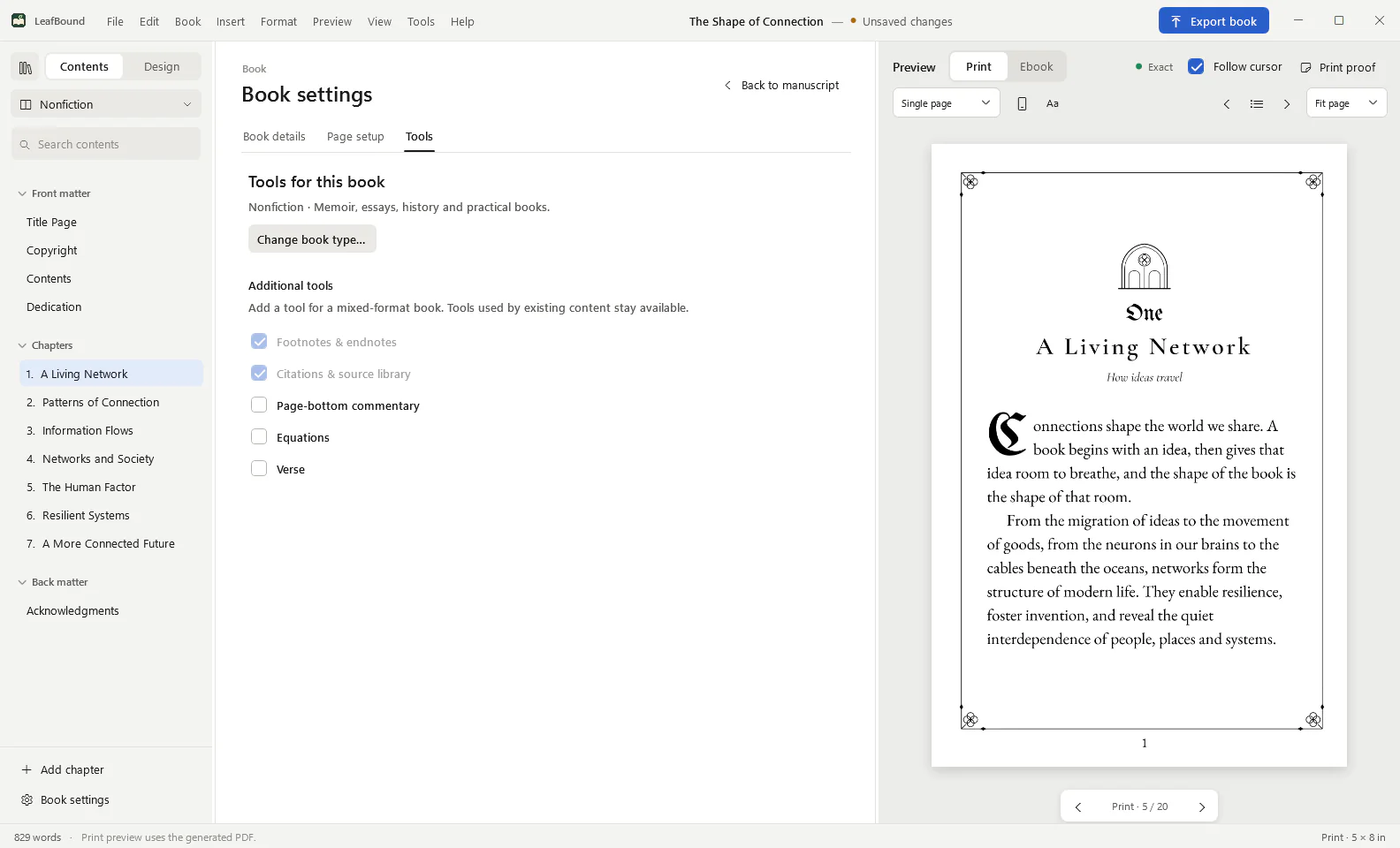
In the Academic edition you type LaTeX for each equation, inline or displayed. Displayed equations are numbered, and you can size any equation from 25% to 400%. LeafBound typesets the equations in the print PDF, where they are checked by print preflight like any other text, and writes MathML into every ebook edition: the generic EPUB and the Kindle, Apple Books, Kobo, Nook and Google Play editions. The ebook preview in the workspace shows the MathML as a WebView2-based reader renders it; the matrix above is the reminder to also test in the stores you sell through.
Equations are available in Academic now, and a Word (.docx) export keeps them as editable Word equations. LeafBound takes LaTeX per equation, and Academic also imports a whole LaTeX (.tex) manuscript with its BibTeX file; it skips TikZ, \includepdf and some packages. A manuscript that is not in LaTeX comes in from Word (.docx), Markdown or plain text as described in preparing a Word manuscript. See LaTeX import for what the .tex import reads and the pandoc route.
Equation questions
Does Kindle support MathML?
KDP lists MathML support among the Enhanced Typesetting features, which apply to reflowable books on Kindle devices and apps that have Enhanced Typesetting, as of 3 November 2026. Older devices receive a KF8 version of the book. Open your EPUB in Kindle Previewer, confirm the Enhanced Typesetting label, and look at the equations on the e-reader, tablet and phone previews before you publish.
Does Apple Books render MathML?
Apple’s Books Asset Guide (5.3.1, February 2025) describes MathML as the way to represent math in EPUB 3, for both display and assistive technology, and points authors to the W3C math resources. As of 3 November 2026 that is a published statement of support; check your own file in Books on an iPhone, iPad and Mac.
Does KDP support LaTeX?
Not as an upload format. For a print book you upload a PDF, so a LaTeX-typeset PDF is fine if it meets KDP’s file rules (embedded fonts, 300 dpi images, PDF/X-1a where possible, margins by page count). For a Kindle ebook you upload an EPUB, which cannot contain LaTeX; equations must be MathML or images.
Can I self-publish a math book on KDP?
Yes. The print edition is a PDF, where equations look the same as in any textbook. The ebook is where the work is: write equations as MathML with an image fallback and alt text, number them so the print and ebook editions agree, and test in Kindle Previewer and the other readers you sell through.
Is MathML required for an accessible EPUB?
EPUB Accessibility 1.1 does not name MathML as a requirement, but WCAG requires that content be available to assistive technology, and an equation that exists only as a picture is not. MathML is what screen readers read, so it is the practical route. Declare it in the metadata with the accessibilityFeature value MathML.
How should I number equations?
By chapter: (3.1), (3.2), (3.3), restarting in each chapter, with the chapter number first. Number only equations you refer to; unnumbered display equations are fine for derivations. Keep the numbers the same in print and ebook so a reader of either can cite them.
Inline or display?
Inline for short expressions that read as part of the sentence, such as a variable or a simple fraction. Display (on its own line, centered or left-aligned with the number at the right margin) for anything tall, long, numbered or referred to later. Mixing a tall fraction into a line of text breaks the line spacing in print and the reflow in ebooks.
More guides
Typeset your equations once, for print and every ebook.
The trial includes the Academic tools. Import your manuscript, add equations in LaTeX, and see them in the print page and the ebook preview side by side.
Early access · Author from $79 once · free 4-day trial · Windows 10 and 11