 LeafBound
Features
Everything a book needs between the last draft and the first printing.
LeafBound is a complete formatting workshop for Windows: design, live print preview, distributor preflight, press-ready PDF and accessible ebooks for every store.
Themes and design
Designed themes, then make them yours.
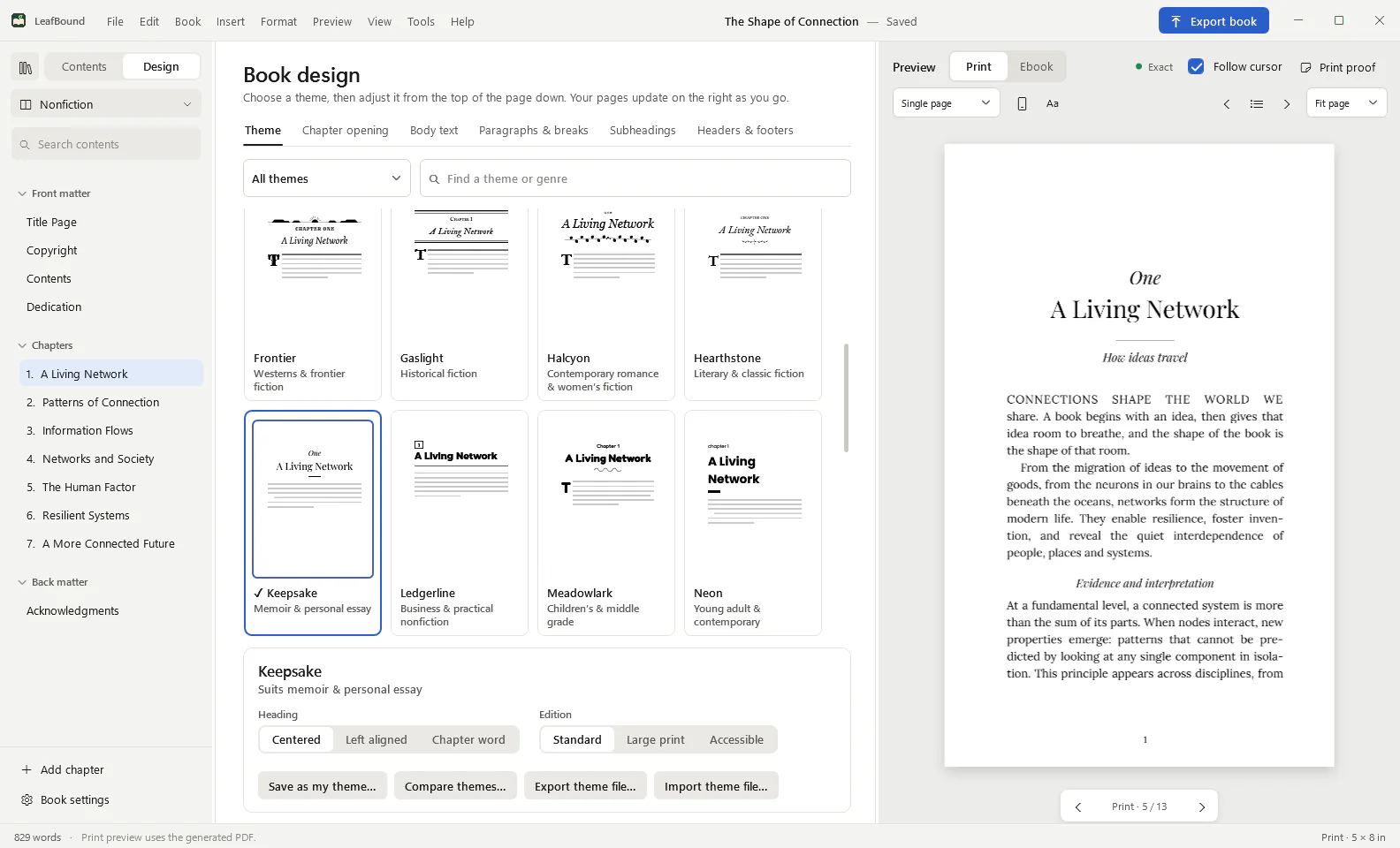
Start from one of 28 themes built for a genre, then adjust it from the top of the page down. Every change updates the real pages on the right.
- 28 themes, from Gothic and thriller to memoir, children’s, devotional, cookbook and academic, each with its own typefaces, chapter openings and ornaments.
- Chapter openings: number style, title and subtitle treatment, ornaments and opening art.
- Body text, paragraphs and breaks: drop caps or small-cap lead-ins, indents or spacing, scene-break ornaments.
- Subheadings and running heads, with headers and footers for each part of the book.
- Editions: switch any theme to Large print or Accessible and see the page-count change before you commit.
- Save, export and import themes to keep a series consistent across books.
Live preview
See the printed page while you write.
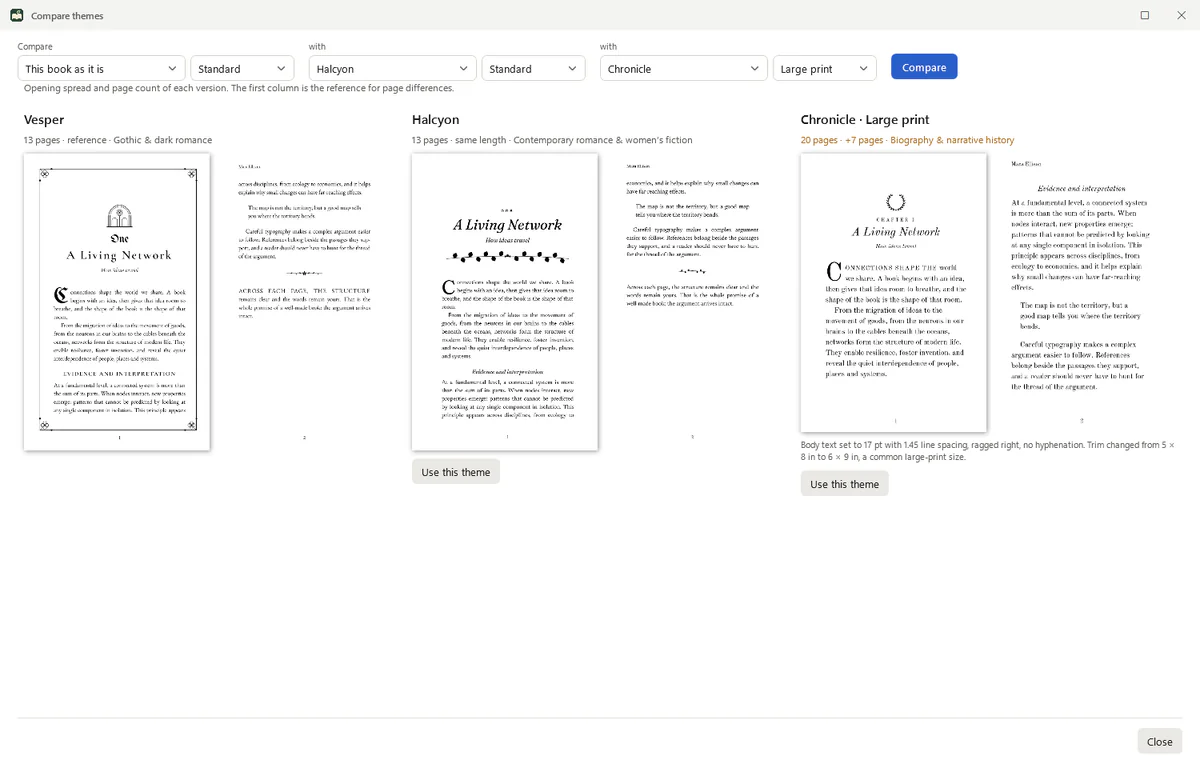
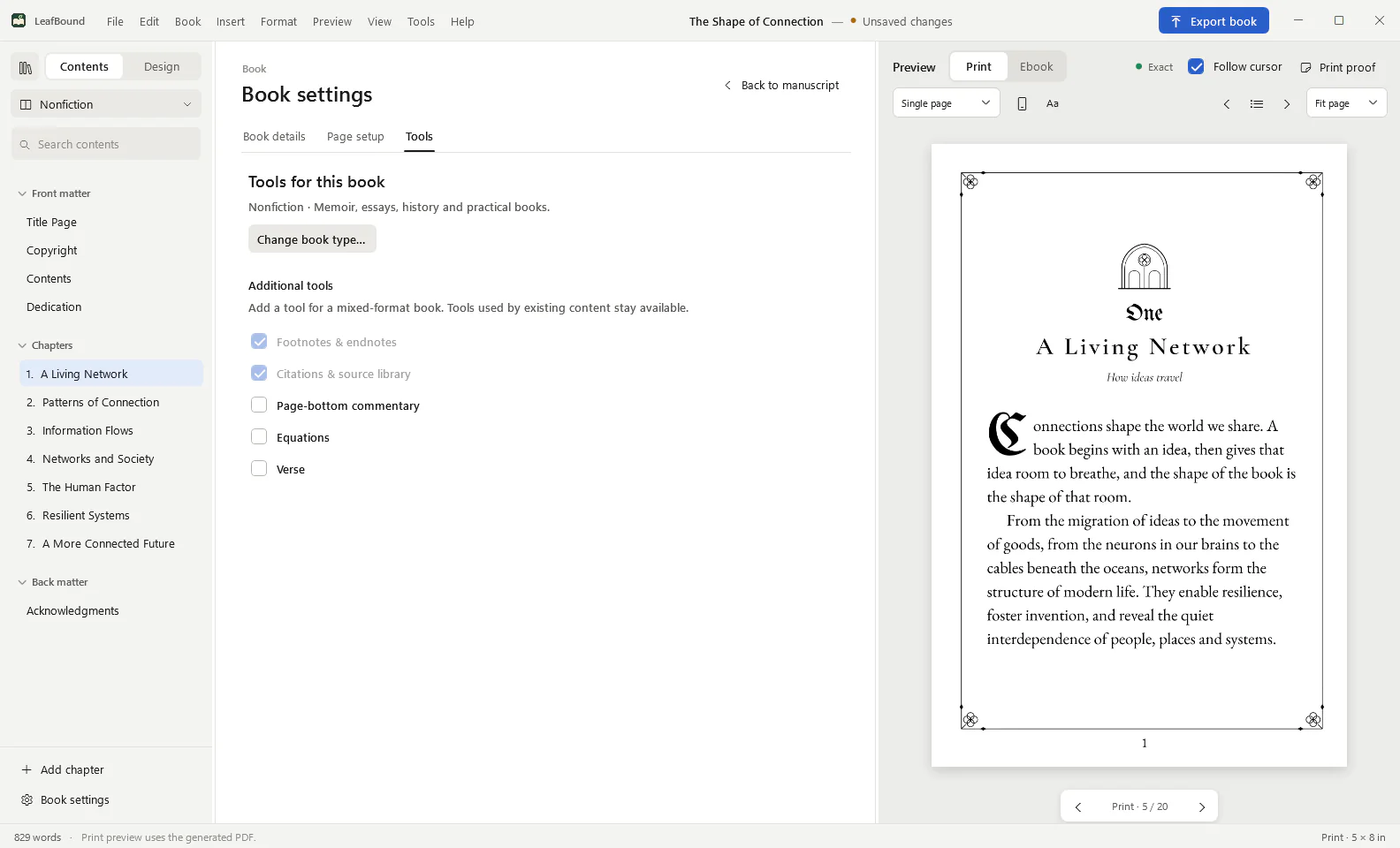
The preview is composed from the generated print PDF, so line breaks, page breaks and page numbers are the ones your printer will receive.
- Exact print preview beside the editor, with Follow cursor.
- Ebook preview as a reader app would show it.
- Compare themes: your opening spread in up to three designs, with page counts.
- Print proof opens the full PDF when you want to check every page.
Press-ready PDFs for KDP and IngramSpark.
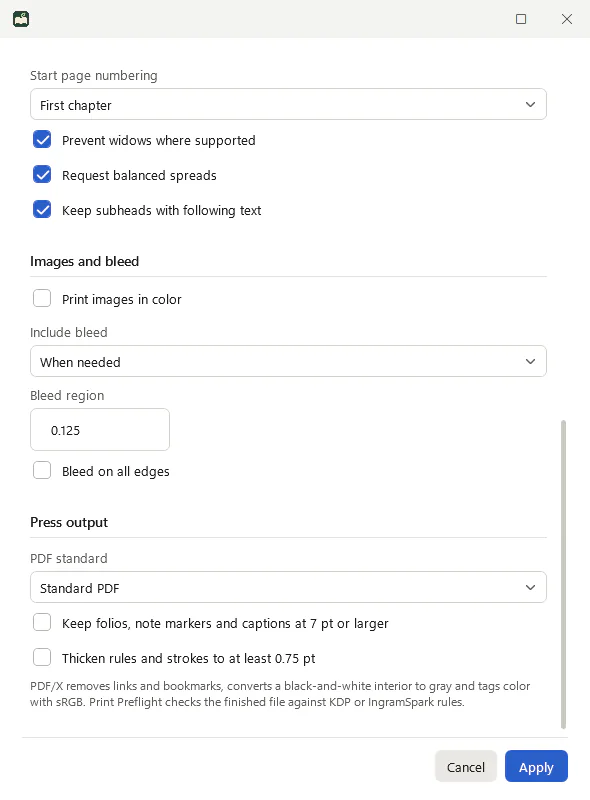
Set trim, margins and bleed once, then let preflight check the finished file against the distributor’s rules.
- Trim, margins and bleed, with bleed added only when artwork reaches the edge, or on every page if you choose.
- Typesetting rules: prevent widows, request balanced spreads, keep subheadings with the text that follows.
- Print preflight: 24 checks with KDP paperback, KDP hardcover, IngramSpark paperback and IngramSpark hardcover profiles.
- One-click fixes for margins, bleed, small text and thin lines, followed by an automatic recheck.
- PDF/X-1a:2001 for black-and-white interiors and PDF/X-3:2002 for colour, with every font embedded.
Ebooks
One source, six accessible ebooks.
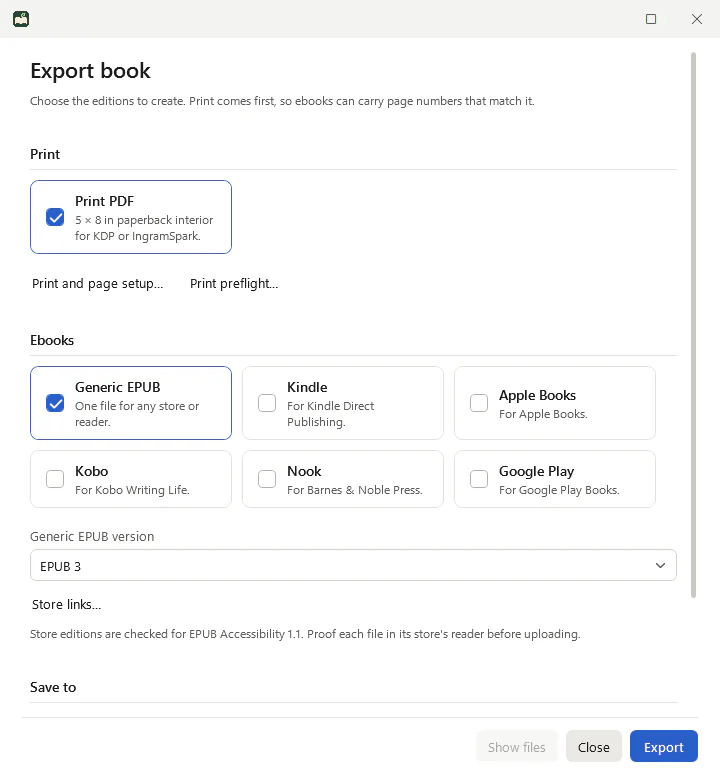
Export the print edition first and every ebook can carry page numbers that match it. Each store edition is adjusted for that store and carries its own links.
- Generic EPUB 3, or EPUB 2 for older readers.
- Store editions for Kindle, Apple Books, Kobo, Nook and Google Play.
- EPUB Accessibility 1.1 metadata, semantic roles and a page list mapped to print pages.
- Image descriptions: LeafBound asks for missing ones before export, and declares conformance only when every informative image has one.
- Store links that point each edition’s “Also by” list to the right store.
Academic edition
Scholarly tools without a typesetting course.
For research, textbooks, study editions and reference works.
- Citation and source library with Chicago notes and bibliography.
- Footnotes and endnotes in print and linked notes in ebooks.
- LaTeX equations, inline or displayed, numbered, sized from 25% to 400%, and MathML in ebooks.
- Page-bottom commentary for study and commentary editions.
- More about the Academic edition
Files and fonts
Your files, your fonts, your PC.
LeafBound is a desktop app. Your books are files on your computer, and you can take your text anywhere.
- Word import and export: bring in a .docx manuscript and export an editable .docx at any time.
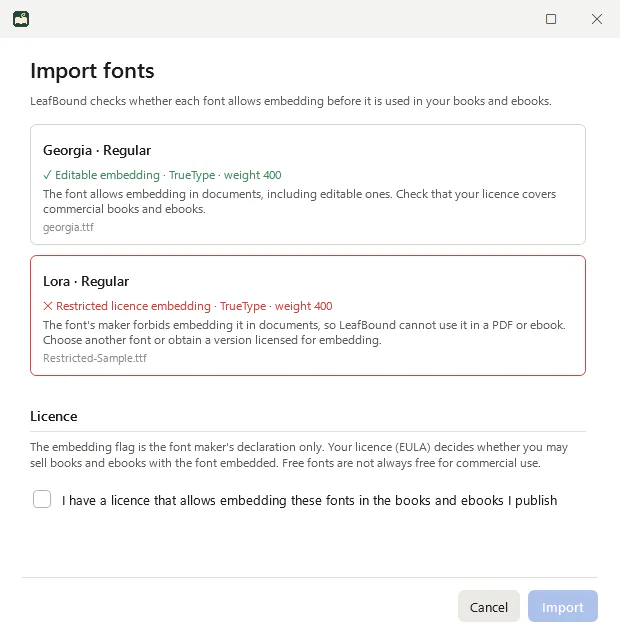
- 55 bundled font families under the SIL Open Font License, so they are safe to embed in books you sell.
- Import your own fonts: LeafBound reads each font’s embedding permission and refuses fonts whose maker forbids embedding.
- Book types for fiction, nonfiction, academic and research, study and commentary, poetry and illustrated books. Changing type never deletes content.
Optional AI
Bring your own AI assistant, or none at all.
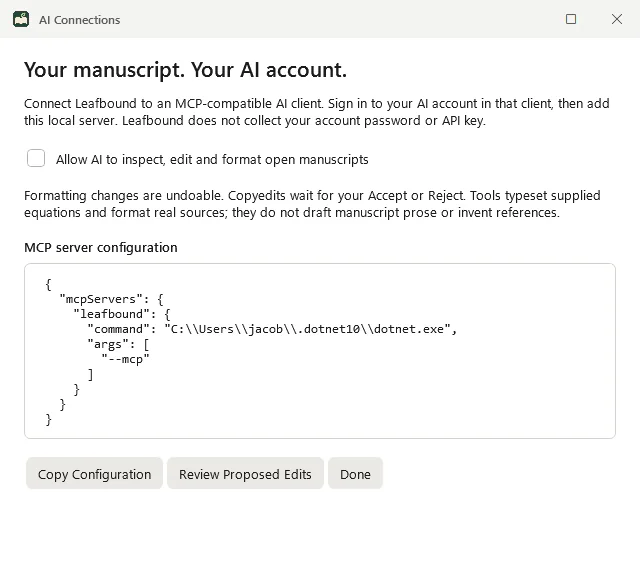
AI is off until you turn it on. LeafBound includes a local Model Context Protocol (MCP) server, so an MCP-compatible assistant you already use can apply themes and fix formatting.
- Formatting changes can be undone. Suggested copyedits wait for your Accept or Reject.
- No ghostwriting. The tools never draft prose or invent references.
- Your AI account stays yours. LeafBound never sees your AI password or API key.
Straight answers
What LeafBound does not do yet.
Better to know now than after you buy.
- Windows only, for now. LeafBound runs on Windows 10 and 11, 64-bit, today. A Mac version is in development.
- No co-writing or shared editing. It is a single-author desktop app.
- No cover designer. Add your finished cover image; design the wrap elsewhere.
- No CMYK conversion for colour interiors yet. Colour PDFs are PDF/X-3 with tagged colour for now.
- No fixed-layout ebooks yet for picture books or comics.
- No two-column commentary layout yet, and no whole-manuscript LaTeX (.tex) import yet.
Keep reading
See your own book in LeafBound.
Import your Word manuscript, try any of the 28 themes and run a print preflight. The trial includes everything, so you can judge the real result before you pay.
LeafBound opens to the public soon, with a free 14-day trial of every feature. Windows 10 and 11, 64-bit.