 LeafBound
- Choose Book then Title, author and details…, or select Title page in the contents list.
- Fill in the fields. Each change applies as you type and the preview follows.
- Choose Back to manuscript at the bottom when you are done.
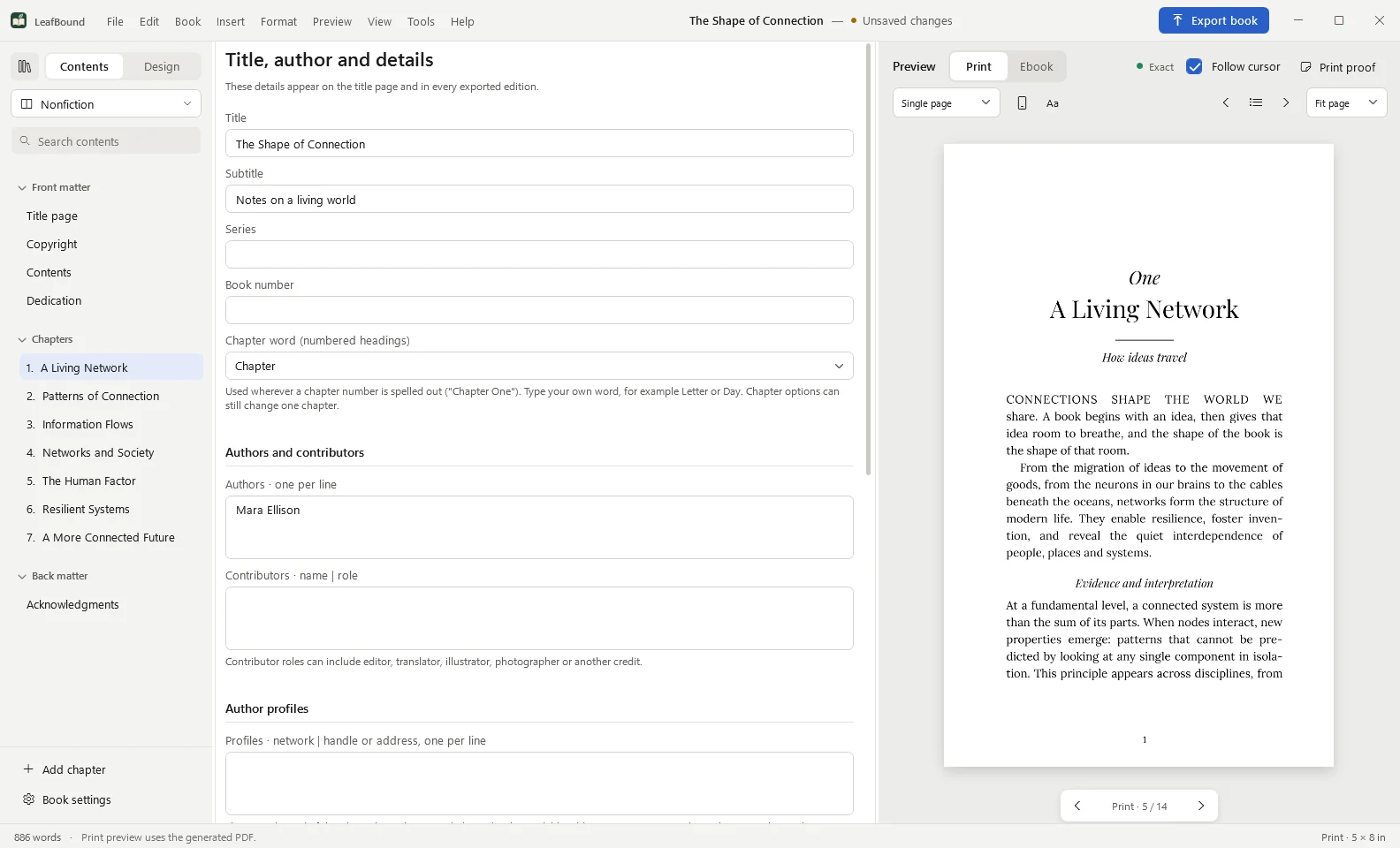
These details appear on the title page and in every exported edition. Every change can be undone with Ctrl+Z.
| Field | What it is for |
|---|---|
| Title, Subtitle | The book's title and subtitle. |
| Series, Book number | The series name and this book's place in it. |
| Chapter word (numbered headings) | The word used wherever a chapter number is spelled out, as in "Chapter One". Pick one from the list (it includes the word in several languages, plus Part, Letter, Day, Entry, Session and Lesson) or type your own. This changes every chapter; Chapter options can still change one chapter. |
| Authors · one per line | Each author on a line of their own. |
| Contributors · name | role | One person per line: the name, a vertical bar, then the role, for example Mara Ellison | editor. |
| Profiles · network | handle or address, one per line | Author profiles shown at the end of the About the author page. |
| Language | The language of the book, as a code such as en, en-US, fr or de. Pick one or type another. |
| Ebook ISBN | The ISBN of the ebook edition. |
| Edition | Used by the copyright page templates. |
| Publisher | Used by the copyright page templates and carried in the ebook details. |
| Description | The book description carried in the ebook details. |
| Rights | A rights statement, also used by the copyright page templates. |
Books with more than one author
Put each author on a separate line. The title page joins them the usual way: "Ana Ruiz and Tom Lee" for two, "Ana Ruiz, Tom Lee and Kai Moe" for three or more.
Contributor credits
Contributors with these roles get a credit line under the byline on the title page, in this order. Several people with the same role share one line.
| Role you type | Title page line |
|---|---|
| editor | Edited by … |
| translator | Translated by … |
| illustrator | Illustrated by … |
| foreword | Foreword by … |
| introduction | Introduction by … |
A line with no role gets the role Contributor. Other roles, such as photographer, and plain contributors are credited in the ebook details only, not on the title page.
Author profiles
Type one profile per line as the network, a vertical bar, then your handle or address, for example Instagram | ellisonwrites. A line with no network is treated as a website. In ebooks the profiles become links; in print they show as readable addresses.
Networks: Website, Email, Newsletter, Amazon Author Central, Bluesky, BookBub, Facebook, Goodreads, Instagram, LinkedIn, Mastodon, Patreon, Pinterest, Ream, Snapchat, Substack, Threads, TikTok, X and YouTube. Amazon Author Central appears only in the Kindle edition.
Ebook cover
At the bottom, Choose cover… picks a finished cover picture from your PC for the ebooks. Once a cover is chosen, Replace cover… swaps it and Remove cover takes it off.
Related
Still stuck?
Choose Help then Report a problem… in LeafBound to send us the details, or write to support.