 LeafBound
- Choose Format then Book design…, then the Body text tab.
- Choose a Body font. Choose Import a font… to add your own font.
- Under Print, set Print text size (6 to 24 pt) and Print line spacing (1 to 2.5 times the size).
- Under Ebook preview, set Ebook preview size and Ebook line spacing.
- Under Paragraphs, set the alignment, space between paragraphs, first-line indent and hyphenation.
- Under Hyphenation rules, list any words that must never be hyphenated.
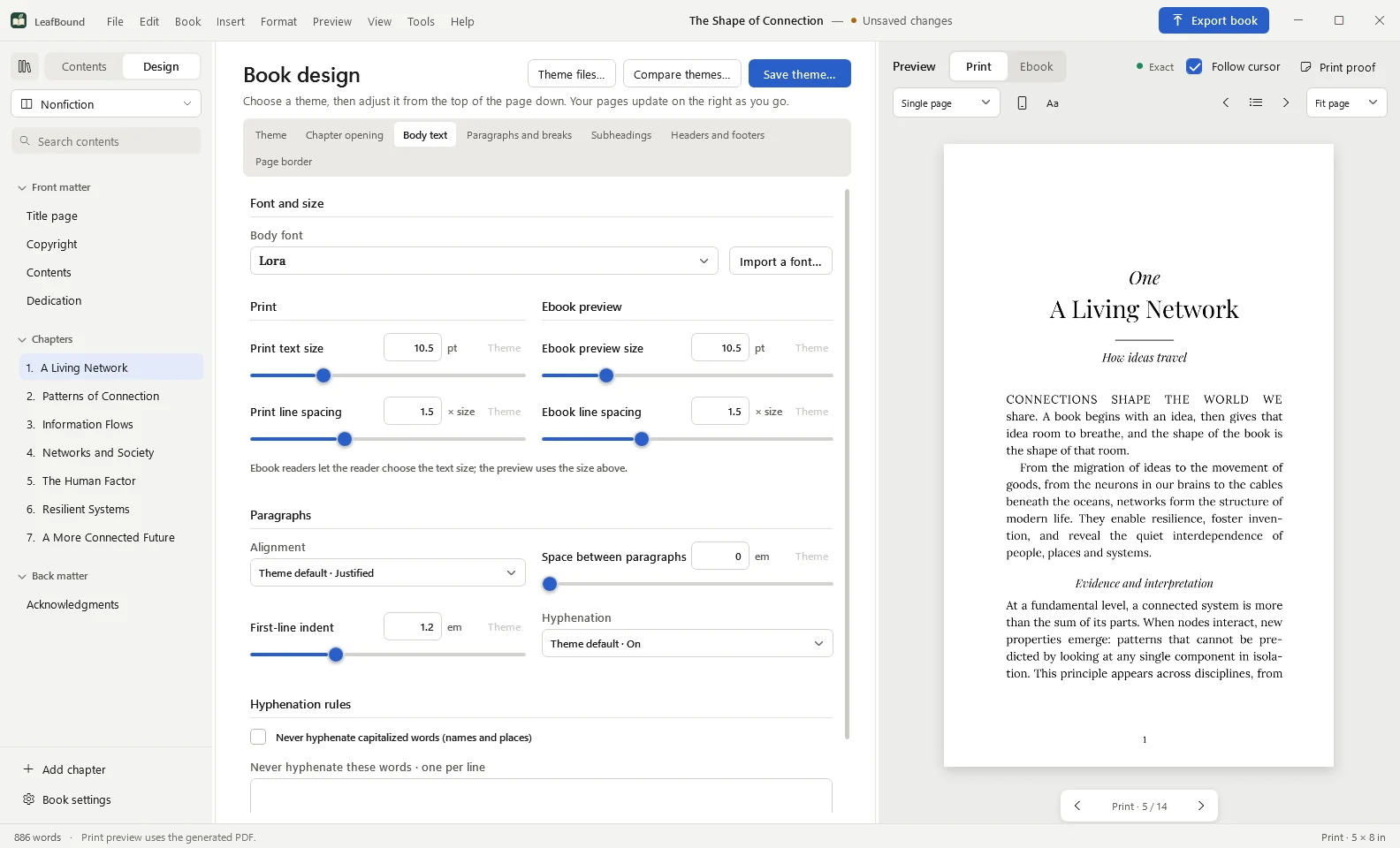
Paragraph settings
| Setting | What it does |
|---|---|
| Alignment | Justified or Ragged right. |
| Space between paragraphs | Extra space between paragraphs, in em. |
| First-line indent | The indent at the start of each paragraph, in em. The first paragraph after a heading, a break or a subheading is never indented. |
| Hyphenation | On or off. |
| Never hyphenate capitalized words (names and places) | Keeps capitalized words whole. |
| Never hyphenate these words · one per line | Words that never break at a line end. |
Hyphenation rules apply to print, the preview and every ebook. To protect one occurrence only, right-click the word in the manuscript and choose Never hyphenate this word.
Ebook readers let the reader choose the text size; the ebook preview uses the size you set here. For a theme from a reference catalog, the paragraph settings are Alignment, First-line indent · em, Space between paragraphs · em and a Hyphenation check box.
Related
Still stuck?
Choose Help then Report a problem… in LeafBound to send us the details, or write to support.