 LeafBound
The Check list on the right of the cover designer tests the design against your printer's rules as you work. Failed items come first, then warnings, notes and passes.
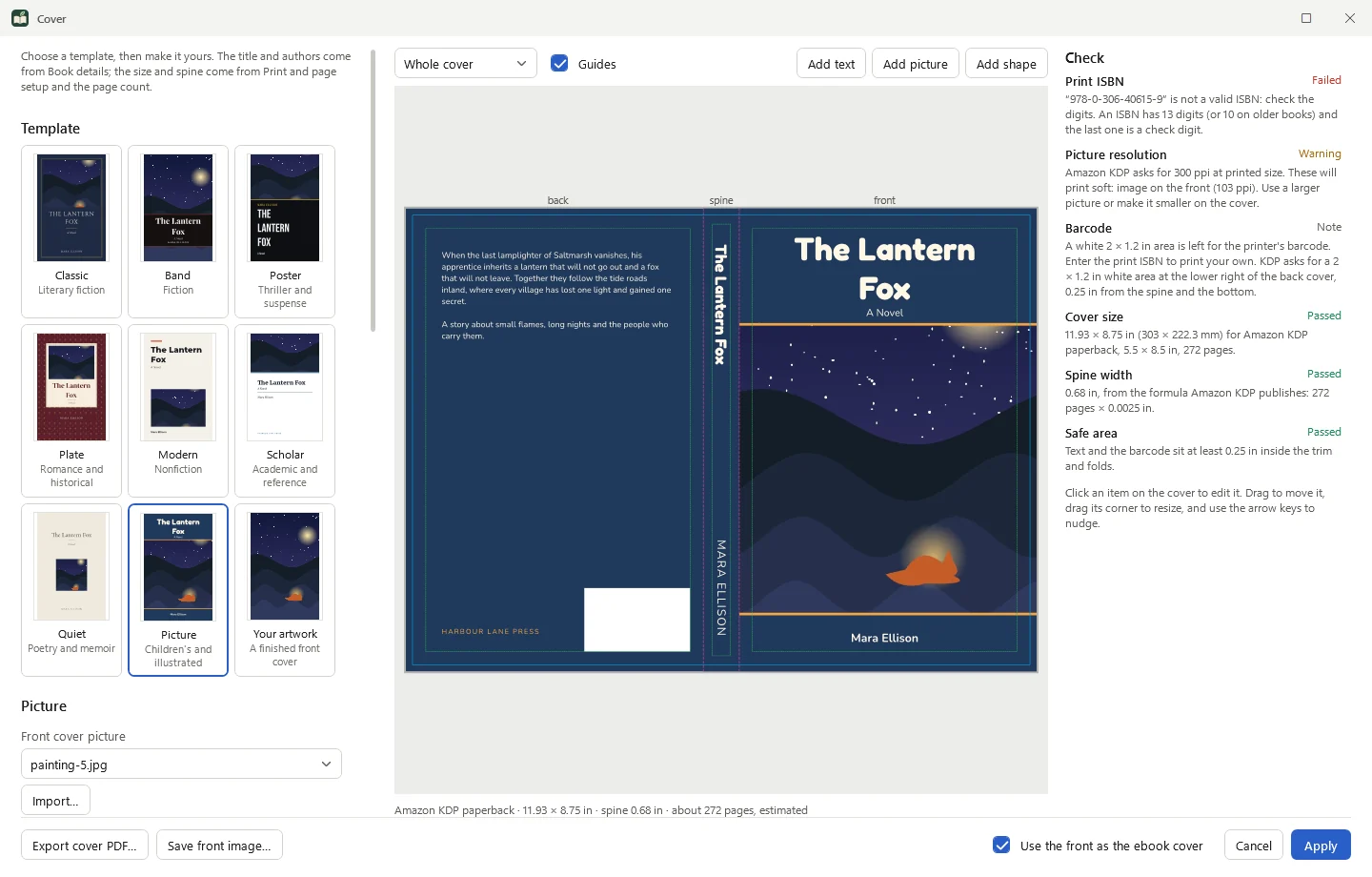
| Check | What it tests |
|---|---|
| Cover size | The full size of the sheet for your printer, format, trim and page count. After an export it also confirms the PDF is exactly that size. |
| Printer's cover template | Warns when the printer publishes no case or jacket sizes, so typical ones are used. |
| Spine width | Where the width comes from. A warning means it is an estimate; enter the width from the printer's template to be exact. |
| Page count | Warns when the spine needs a page count and none is known yet. Open the print preview once, or enter the page count. |
| Spine text | Warns when there is text on a spine the printer will not print text on. |
| Exported cover is out of date | The last cover PDF was made for a different page count or spine width. |
| Safe area | Text and the barcode sit far enough inside the trim and folds. |
| Hinge | Text in the hinge of a hardcover, where it creases. |
| Cover pictures | A picture is missing or is not a JPEG, PNG or TIFF. |
| Picture resolution | Every picture reaches the printer's target pixels per inch at printed size. |
| Print ISBN | The ISBN is valid. |
| Price code | The price code has exactly five digits. |
| Barcode | There is a barcode area, it is big enough, and whether LeafBound draws the bars or leaves the area white for the printer. |
| Color | After an export: whether the PDF is CMYK PDF/X-1a or RGB. Type is outlined, so no fonts are needed. |
Click any item on the cover to edit it; choose Show the check to bring the list back.
Related
- Move and edit items on the cover
- Export the cover PDF and front cover image
- Write the back cover and add the ISBN barcode
Still stuck?
Choose Help then Report a problem… in LeafBound to send us the details, or write to support.