 LeafBound
Footnotes and endnotes
Footnotes on the page, endnotes at the back, links in the ebook.
Write a note once. LeafBound sets it at the foot of the printed page or in the notes at the end of the book, turns it into a linked note in every ebook edition, and writes it as a real footnote when you export to Word.
- 3outputs from one note: print, ebook and Word
- 7 ptminimum text size print preflight checks, notes included
- 0.75 ptminimum line weight, checked on the footnote rule too
- $79once, in the Author tier
What LeafBound does with a note
Footnotes at the foot of the page
In print, footnotes are set at the foot of the page, and the pages are set again after each edit.
Endnotes collected at the end
Endnotes print together in a Notes section at the end of the book, for citations that would crowd the page.
Linked notes in every ebook
Each note becomes a link with a link back, marked so that reading apps with pop-up notes can show one.
Word footnotes arrive as footnotes
Real footnotes and endnotes in a Word manuscript are kept as notes on import. Nothing is retyped.
Word export writes real footnotes
Export an editable .docx at any time and the notes are native Word footnotes again, ready for an editor.
Checked before you upload
Print preflight reads the finished PDF and checks note text against the 7 pt minimum and the footnote rule against the 0.75 pt minimum.
In print, the note stays with its reference.
Keeping a note on the right page is the typesetter’s job. LeafBound does it for you.
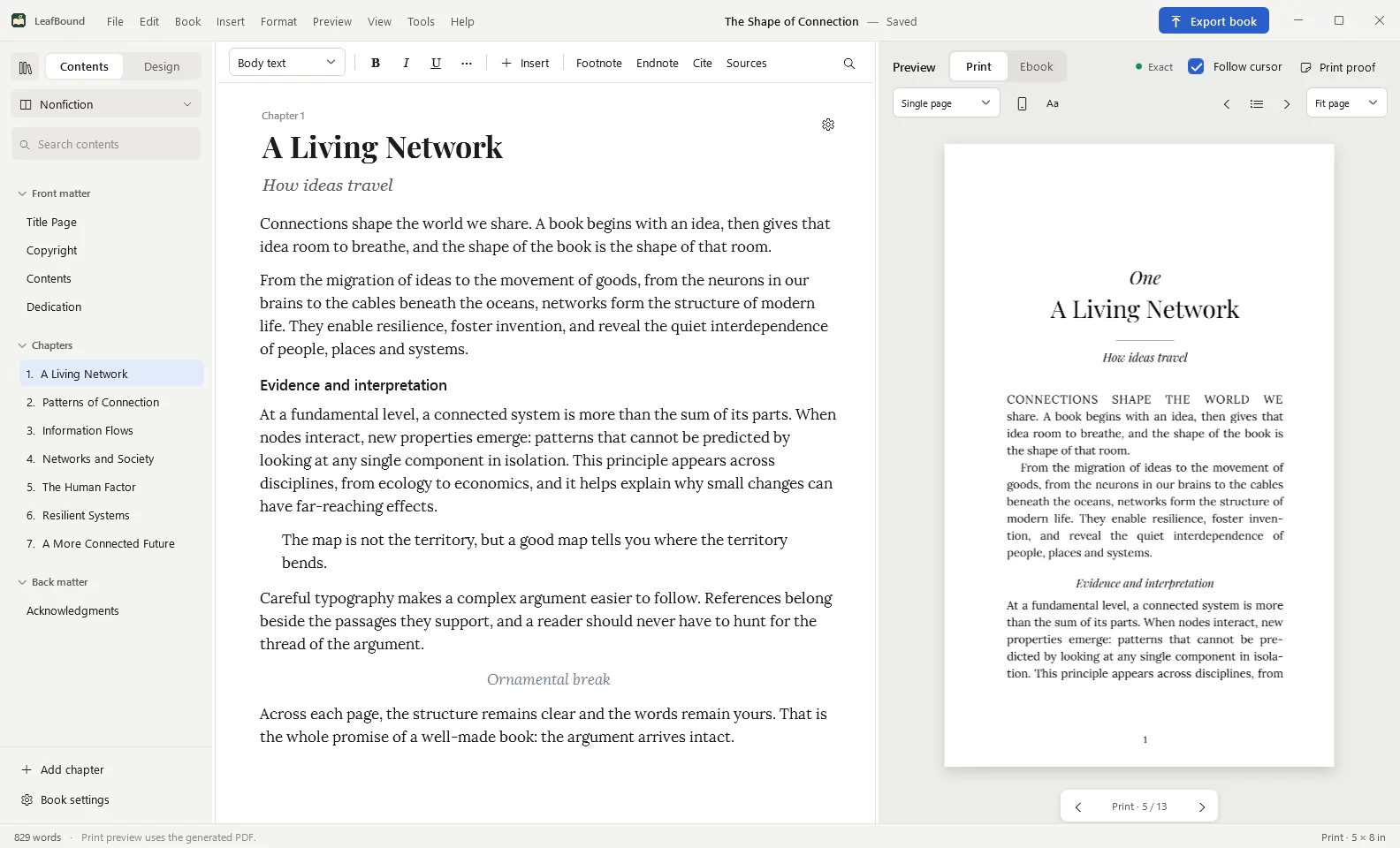
Footnote and Endnote are buttons in the editor toolbar, so adding a note takes one click at the point in the text where it belongs. In the print edition footnotes are set at the foot of the page, and the pages are set again after each edit.
You can watch that happen. The page beside your manuscript is the real print PDF, recomposed a moment after you stop typing, so you see where each note falls and what the notes do to the page count. Live print preview explains how it works.
Endnotes are gathered in a Notes section at the end of the book. Both kinds are set in the typography of the theme you chose.
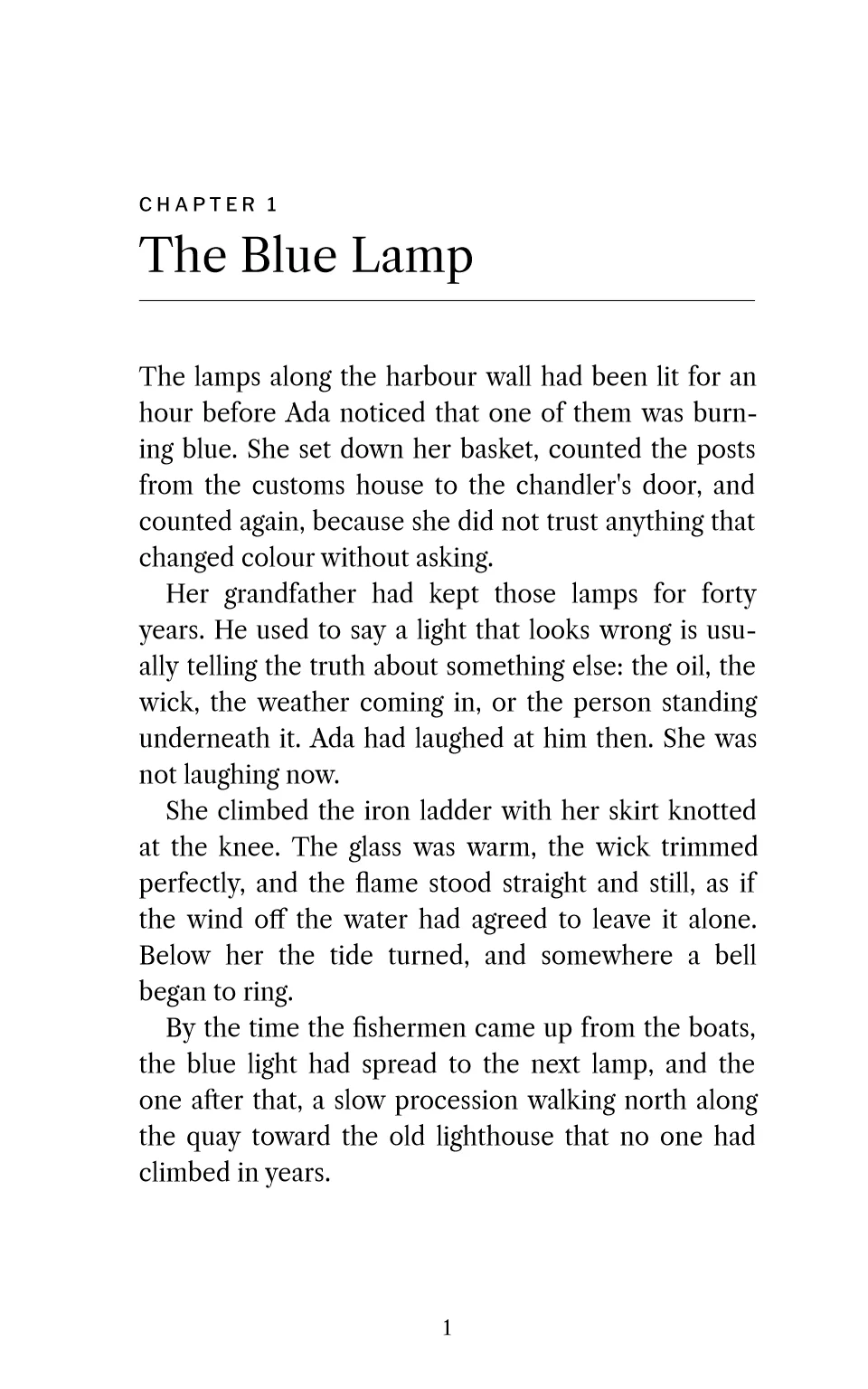
Footnotes in a KDP paperback.
A footnote is ordinary text in the PDF you upload, so it has to meet the same rules as the rest of the page. Notes are set smaller than the body, which makes them the first place a book can fall under the minimum size. Print preflight checks all text, notes included, against the 7 pt minimum, and every line, including the rule above the footnotes, against the 0.75 pt minimum, with a one-click fix for both.
Preflight has profiles for KDP paperback and hardcover and for IngramSpark. The KDP formatting page covers the rest of the interior rules. The printer makes the final decision when you upload, so order a printed proof.
In EPUB and Kindle editions, notes become links.
A reflowable ebook has no page bottom, so there is nowhere to anchor a footnote. LeafBound turns every note into a linked note: the number in the text links to the note, and the note links back. The notes carry EPUB 3 note markup, so reading apps that support pop-up notes can show the note over the text, and the rest follow the link.
This applies to the EPUB and to each store edition. The Kindle edition is an EPUB that KDP converts itself. What a reader sees depends on the reading app, and the footnotes in ebooks guide shows the markup and which apps show pop-ups.
From Word, and back to Word.
Most manuscripts with notes begin in Word. Real Word footnotes and endnotes are imported as notes. Superscript numbers typed by hand, with the notes typed at the end of the file, are only text, so insert them as real footnotes before you import. The Word import guide shows how.
Going the other way, Word export writes an editable .docx with native footnotes, and it keeps working without a license. For notes that cite sources, the Academic tier adds a source library with citations and a bibliography, and page-bottom commentary in one or two columns for commentary and study editions.
Which tier
Author, $79 once.
Footnotes and endnotes are part of Author, in print, in every ebook edition and in Word export. Citations from a source library and page-bottom commentary are part of Academic. The free 4-day trial includes both.
Questions
Can book formatting software put footnotes at the bottom of the page?
LeafBound does. In the print edition footnotes are set at the foot of the page, and the pages are set again after each edit.
Should I use footnotes or endnotes?
Choose for the printed book. Footnotes suit short remarks a reader wants at once, and endnotes suit long citations that would crowd the page. In an ebook both become linked notes. The footnotes in ebooks guide compares the two.
Will footnotes cause trouble with a KDP paperback?
Only if they break the rules that apply to all text. Print preflight checks note text against the 7 pt minimum and offers a one-click fix. See why KDP rejects files.
Do footnotes work in an EPUB or on Kindle?
As linked notes. The number links to the note and the note links back, and reading apps that support pop-up notes can show the note over the text. Check your own file in the reading apps your readers use.
Will my Word footnotes survive the import?
Yes, if they are real Word footnotes or endnotes. Numbers typed as superscript, with the notes typed at the end of the file, are imported as plain text.
Do I need the Academic tier for footnotes?
No. Footnotes and endnotes are in the Author tier, $79 once. Academic adds citations from a source library, a bibliography and page-bottom commentary.
Can I get the notes back into Word?
Yes. Word export writes an editable .docx with native footnotes at any time, even without a license.
Keep reading
See your own footnotes on the printed page.
The free 4-day trial lets you import a manuscript with real Word footnotes and see them at the foot of the page and as linked notes in the ebook preview.
Early access · Author from $79 once · free 4-day trial · Windows 10 and 11