 LeafBound
Live print preview
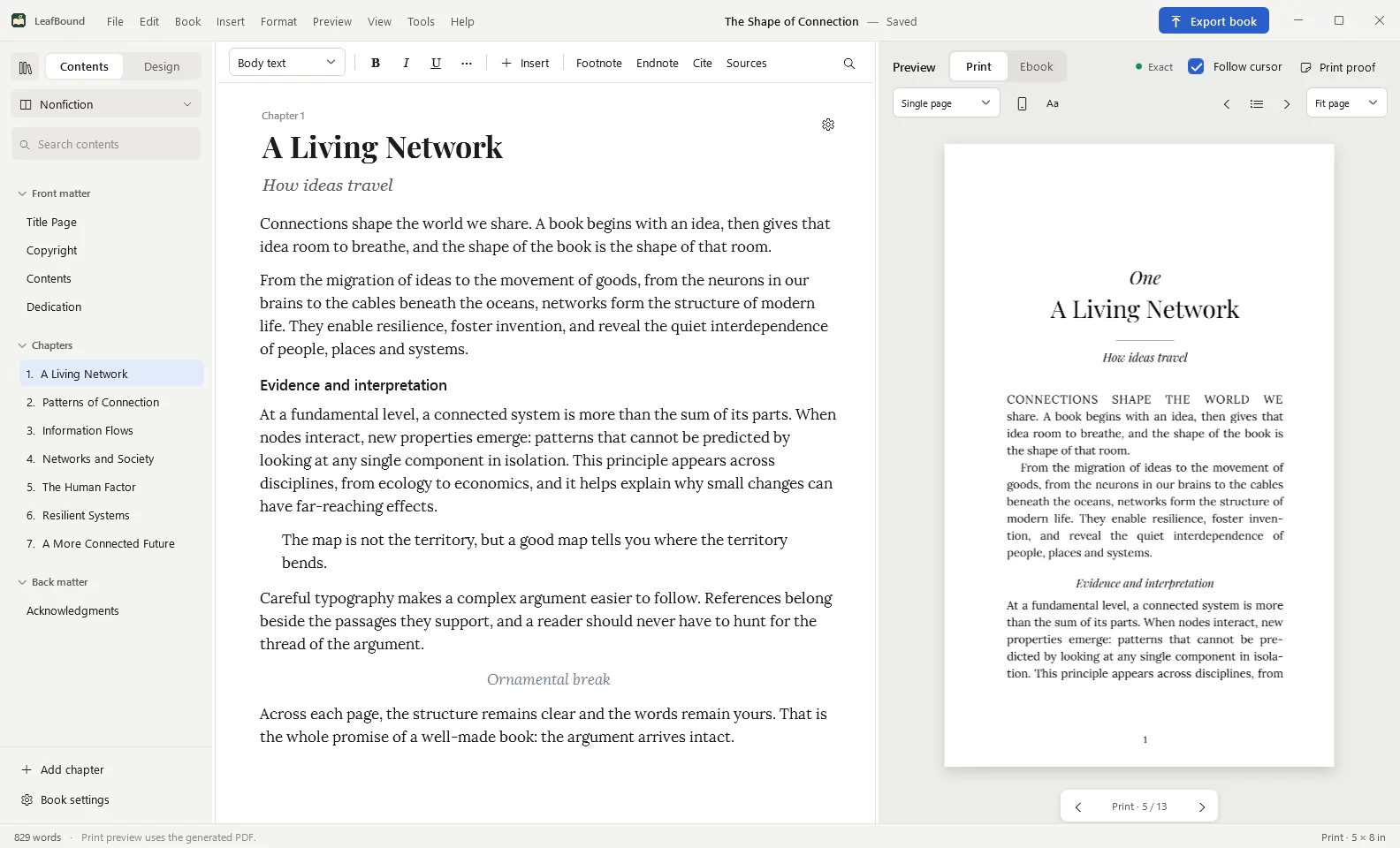
The page beside your text is the page that prints.
LeafBound’s print preview is not a sketch of the layout. It is the print PDF itself, recomposed a moment after you stop typing, with the line breaks, page breaks and page count your printer will receive.
- 11 sfor a 224-page print PDF on our test PC
- 18 sfor a 392-page print PDF on our test PC
- 3themes compared side by side, with page counts
- 3 to 8xfaster print exports than in earlier versions
What the preview gives you
The real PDF, not an imitation
The preview always shows the exact print PDF, so what you check on screen is the file you will upload.
Recomposed when you pause
A moment after you stop typing, LeafBound sets the pages again and shows a busy state while it works.
A page count you can plan on
The count under the preview is the count of the finished book, the number that spine width and print cost depend on.
Themes compared on your own text
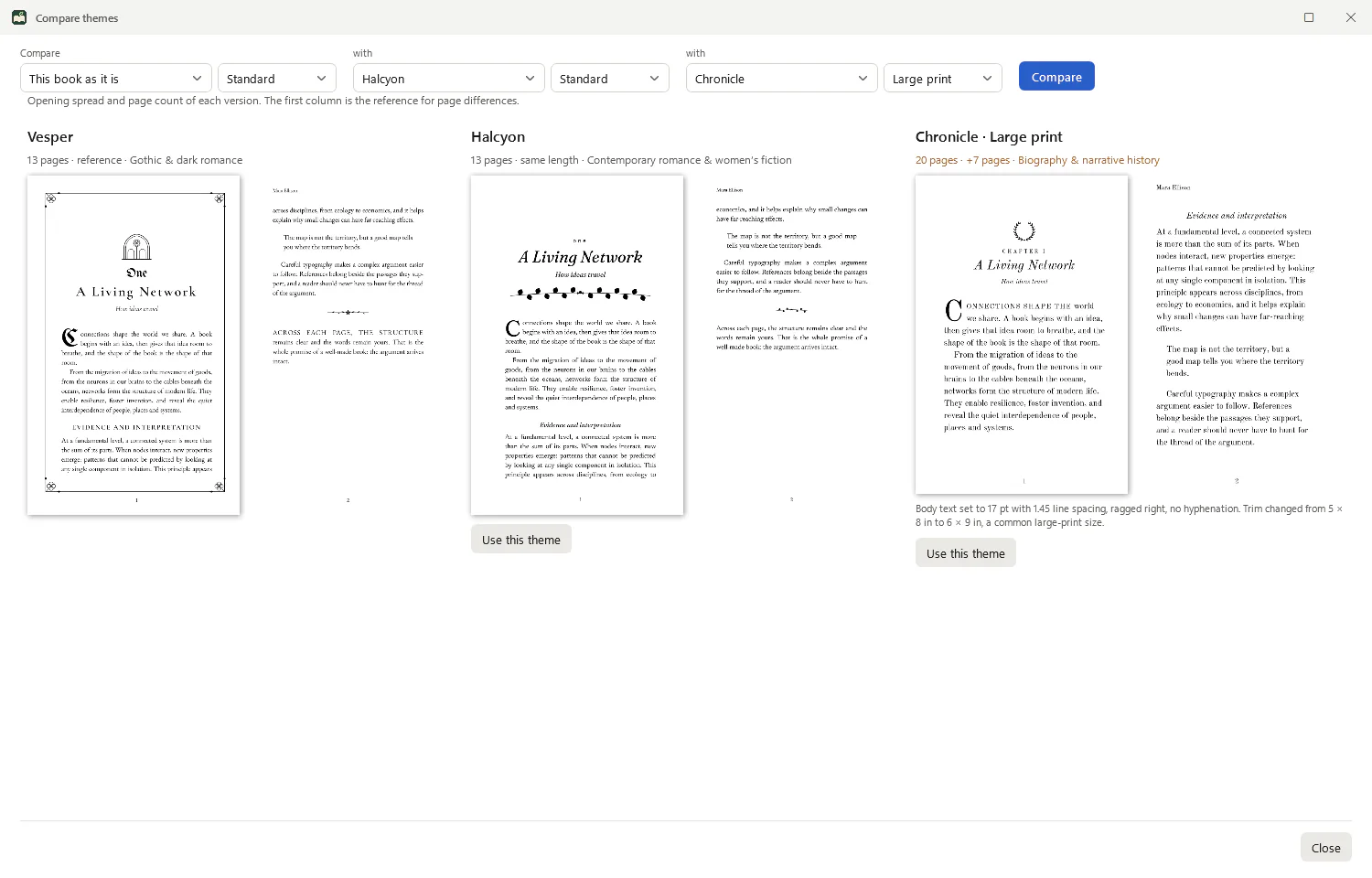
Compare themes puts up to three designs side by side on your pages, each with its page count.
Print and ebook in one place
Switch the preview from Print to Ebook to see the book as a reading app would show it.
The whole file on request
Print proof opens the full PDF when you want to turn every page before you export.
What you see is the print PDF.
The preview is the page, not an approximation of it.
The preview is not drawn by a separate, quicker renderer that guesses at the result. It is the exact PDF that the print export writes, so the line breaks, page breaks, running heads, page numbers and footnotes are where they will be in the printed book.
That makes it a true WYSIWYG view for book layout. You can spot a stranded last line, a short final page or a chapter that spills two lines onto a new page while you are still writing, and fix it in the text. When you want the whole file, Print proof opens the full PDF, and print preflight checks that same PDF against the printer’s rules.
It recomposes when you stop typing.
LeafBound does not reset the page on every keystroke. It waits for a pause of about a quarter of a second, then composes the pages again and shows a busy state until the new PDF is ready. On our test PC, after a one-word edit, a 45-page book was back in about 3 seconds and a 224-page book in about 6.5 seconds.
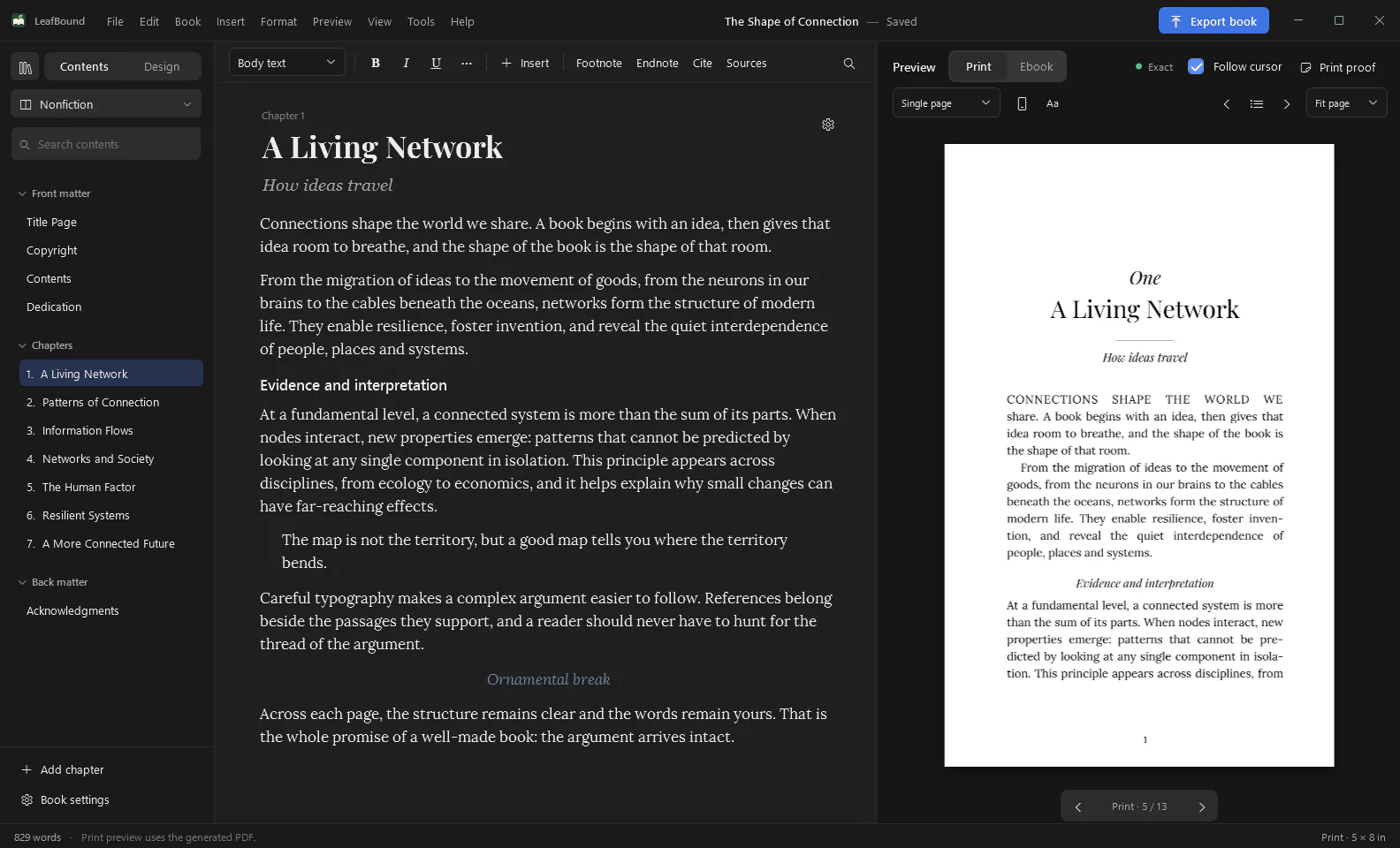
The workspace follows your taste as well as your text. The Paper appearance is light, Graphite is dark, and Follow Windows matches your system setting. The printed page looks the same in all three, because it is the PDF.
Compare themes and page counts before you commit.
A theme changes more than the look of a book. Type size, line spacing and margins change how many pages it runs to. Compare themes shows your own opening pages in up to three themes at once, each with its page count, so you can weigh a design against its length.
It works for versions too. Every theme comes in Standard, Large print and Accessible versions, and a Large print version with 17 pt body text makes a longer book. Knowing the count first tells you what you are committing to: the KDP print calculator works from the page count, and the themes page shows the designs.
Exports quick enough to check often.
A preview is only as useful as the export behind it. Print exports are about 3 to 8 times faster than in earlier versions, with the same pages: the output was compared page by page. On our test PC a 224-page book exports to a print PDF in about 11 seconds, and a 392-page book in about 18 seconds.
The first print render pays a one-time font preparation of about 10 seconds. Times vary with the PC and with what else it is doing. The print books page covers trim, margins, bleed and PDF/X output.
Measured times
Seconds on our test PC, measured under shared load, so allow about 15 percent either way.
| Book length | Full print export | Preview after a one-word edit |
|---|---|---|
| 45 pages | 5.2 s | 3.0 s |
| 224 pages | 11.2 s | 6.5 s |
| 392 pages | 18.2 s | 11.1 s |
Which tier
Author, $79 once.
The print preview is part of the Author tier, with 14 core themes and print preflight for KDP and IngramSpark. Pro includes all 128 themes. The free 4-day trial includes every tool in the personal tiers.
Questions
Is the preview exactly what will print?
It is the print PDF itself, so the pages you see are the pages in the file you export. The printer makes the final decision on any file, so order a printed proof before you publish.
How quickly does the preview catch up with an edit?
It starts a moment after you stop typing and shows a busy state while it works. On our test PC a 45-page book was redrawn in about 3 seconds after a one-word edit, and a 224-page book in about 6.5 seconds.
Can I see my page count while I am writing?
Yes. The preview shows the page you are on and the total, and the total is the real count of the print edition at your trim size and in your theme.
How long does it take to export a print PDF?
On our test PC, about 5 seconds for a 45-page book, 11 seconds for 224 pages and 18 seconds for 392 pages. The first print render adds about 10 seconds, once, for font preparation.
Is there a preview for the ebook too?
Yes. The Ebook tab shows the book as a reading app would show it. It needs WebView2 on the PC. See the ebooks page.
Does LeafBound have a dark mode?
Yes. The interface has a light appearance called Paper, a dark one called Graphite, and a setting that follows Windows.
Does it work on a Mac?
No. LeafBound runs on Windows 10 and 11, 64-bit.
Keep reading
See your own pages beside your own text.
The free 4-day trial lets you import your manuscript and see the real print pages beside it, with the page count for any theme.
Early access · Author from $79 once · free 4-day trial · Windows 10 and 11