 LeafBound
 for commentary and study editions
The text above, your commentary beneath it, on the same page.
The Study and commentary book type sets your commentary at the foot of the page it discusses, in one or two columns. You supply the text and the notes, and LeafBound composes the pages. On Windows, in the Academic tier, $99 once.

- 1 or 2columns of commentary at the foot of the page
- 3kinds of marker: numbers, symbols or passage labels
- 3places numbering can restart: book, chapter or page
- $99once. No subscription
What a commentator gets
Commentary on the page it explains
Commentary is set at the bottom of the page, under the passage it discusses, so the reader does not have to turn to the back of the book.
One column or two
Short notes read well in one column. Long, dense commentary fits better in two. The choice is yours.
Markers that suit the text
Key each comment with a running number, a symbol or a passage label, whichever your readers already expect.
Numbering that restarts where you say
Markers can run through the whole book, or start again with each chapter or each page.
A safe fallback
If a two-column layout fails LeafBound’s verification, the previous output is kept.
Scholarly tools alongside
The same tier has footnotes, a source library with citations in four styles, and a bibliography.
How the page is built.
Two texts share one page, and they have to stay together as the book changes.
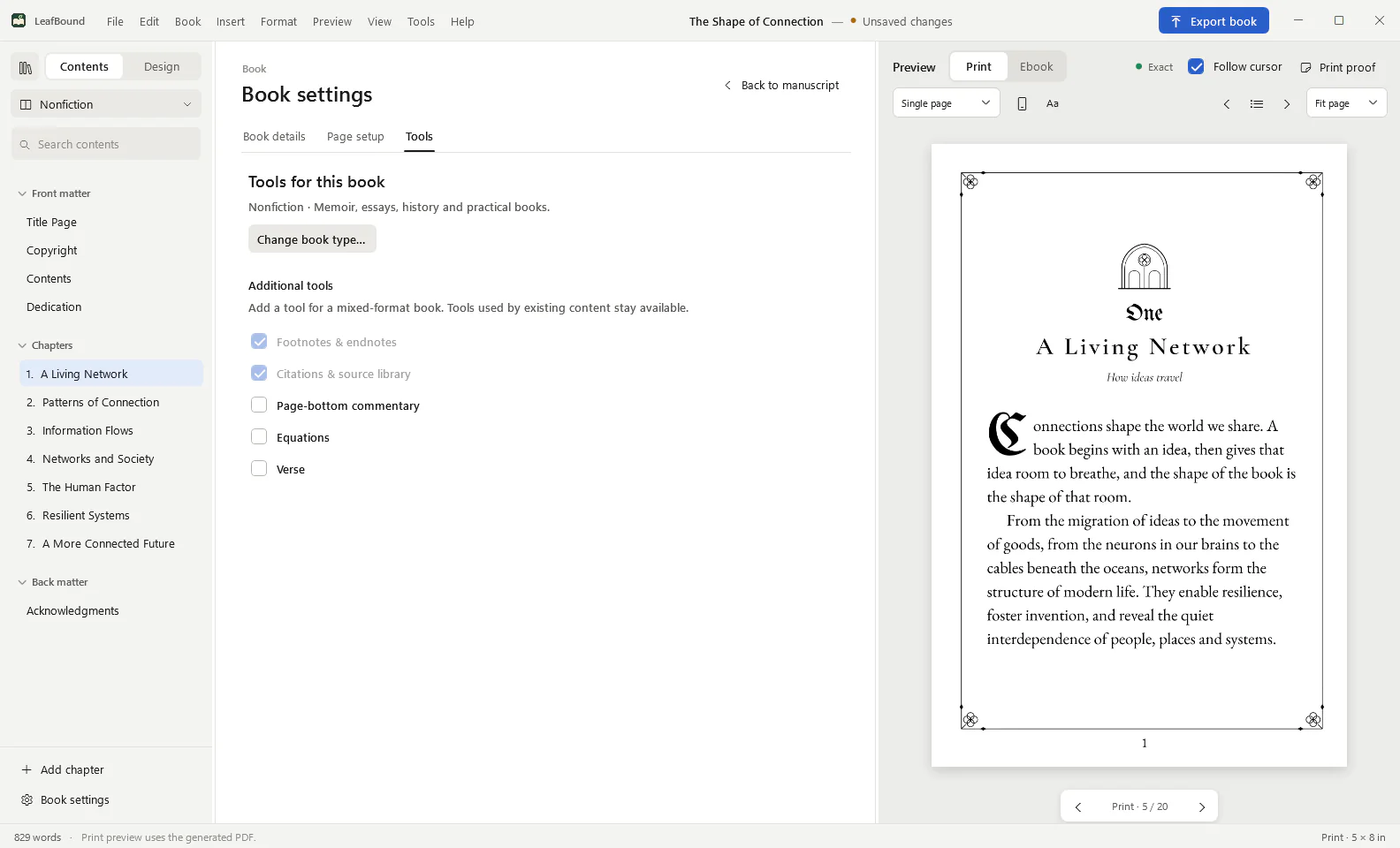
Create a book with the Study and commentary type and the commentary tool is switched on, with a starting theme chosen for the type. The main text runs at the top of the page. The commentary for that page sits at the bottom, in one column or two.
The preview beside your manuscript is the real print PDF, recomposed a moment after you stop typing. When you add a paragraph of commentary, you see which page it lands on and how much room the main text keeps. Changing the book type later does not delete anything you wrote.
Numbers, symbols or passage labels.
How a comment is tied to its passage depends on the kind of edition.
An annotated novel or a set of lecture notes usually wants sequential numbers. A page with only a few comments can use symbols. A verse by verse commentary wants neither: the reader looks for the passage, so each comment carries a passage label instead of a number.
Numbering can restart per book, per chapter or per page. Restarting on each page keeps the numbers small in a heavily annotated text, and restarting by chapter lets a reader refer to a comment by chapter and number.
- Sequential markers: 1, 2, 3 through the book, the chapter or the page
- Symbol markers for lightly annotated pages
- Passage labels for commentary that follows the text passage by passage
You supply the text.
LeafBound is the typesetter, not the source.
LeafBound does not include any Bible translation or any other source text, and it does not grant a license to print one. You bring the text you are commenting on, and the right to print it is yours to arrange. If that text is under copyright, check its publisher’s terms before you publish.
The main text comes in the usual way. Import it from Word, Markdown, plain text or EPUB, and smart import finds the title page, the parts and the chapters. Then add your notes with the page-bottom commentary tool. The Word import guide covers the preparation, and the Academic page describes the citation tools in the same tier.
Thick books that still print cleanly.
Study editions run long, and long books meet printer limits first.
KDP sets the inside margin by page count and caps a paperback at 828 pages on white paper, so a study edition has to be checked against both. Print preflight reads the finished PDF and tests the inside margin for the final page count, along with trim, bleed and embedded fonts. The margins guide and the trim size guide give the numbers.
Long books also export quickly: on our test PC a 392-page book exports to a print PDF in about 18 seconds. Every theme has a Large print version, and the large print guide explains what that does to the page count. Two-column commentary is described further on the LaTeX and commentary page.
Which tier
Academic, $99 once.
Page-bottom commentary is part of the Academic tier, together with citations, a bibliography and equations. You can create a Study and commentary book in Author, but the commentary tool itself needs Academic. The free 4-day trial includes it.
Questions
Can LeafBound lay out a verse by verse commentary?
Yes. Use the Study and commentary book type, put the text in the main flow and the commentary in page-bottom commentary, and choose passage labels as the markers. The commentary can run in one column or two beneath the text.
Does LeafBound include a Bible translation?
No. LeafBound contains no Bible text and no other source text, and it grants no license for one. You supply the text, and the permission to print it is yours to obtain from whoever holds the rights.
Can the commentary be set in two columns?
Yes. Page-bottom commentary can be set in one column or two. If a two-column layout fails verification, LeafBound keeps the previous output.
Can I use symbols instead of numbers?
Yes. Markers can be sequential numbers, symbols or passage labels, and numbering can restart per book, per chapter or per page.
Does a study edition still have ordinary footnotes?
Yes. Footnotes print at the foot of the page in the Study and commentary type, and endnotes collect at the end of the book. See the footnotes and endnotes page.
Can I annotate a classic novel or a long poem this way?
Yes. The commentary tool does not care what the main text is. An annotated edition of a text you have the right to print works the same way as a religious commentary, with sequential numbers or symbols as the markers.
Which tier do I need?
Academic, at $99 once. It includes everything in Author, plus page-bottom commentary, citations and equations. Pro adds all 128 themes and PDF/X output.
Keep reading
The photograph is an illustration, not a book made in LeafBound.
Set one chapter with its commentary and look at the page.
The free 4-day trial includes page-bottom commentary. Import a chapter, add your notes and compare one column with two.
Early access · Author from $79 once · free 4-day trial · Windows 10 and 11