 LeafBound
When you import Word, rich text, Pages, Markdown, plain text, EPUB or Scrivener, LeafBound reads the whole manuscript and builds the book's structure. It never drops or reorders your text: lines it uses for the structure (a typed title page, a typed contents list, “Chapter 3” labels) move into the book details or become LeafBound's own numbering.
The summary line
Before the book opens, the Set up your book page shows one line about what was found, for example Found 14 chapters, 2 parts, dedication, preface and a title page. When the manuscript had its own contents list, it adds “The typed contents list is replaced by LeafBound's own, which keeps itself up to date.”
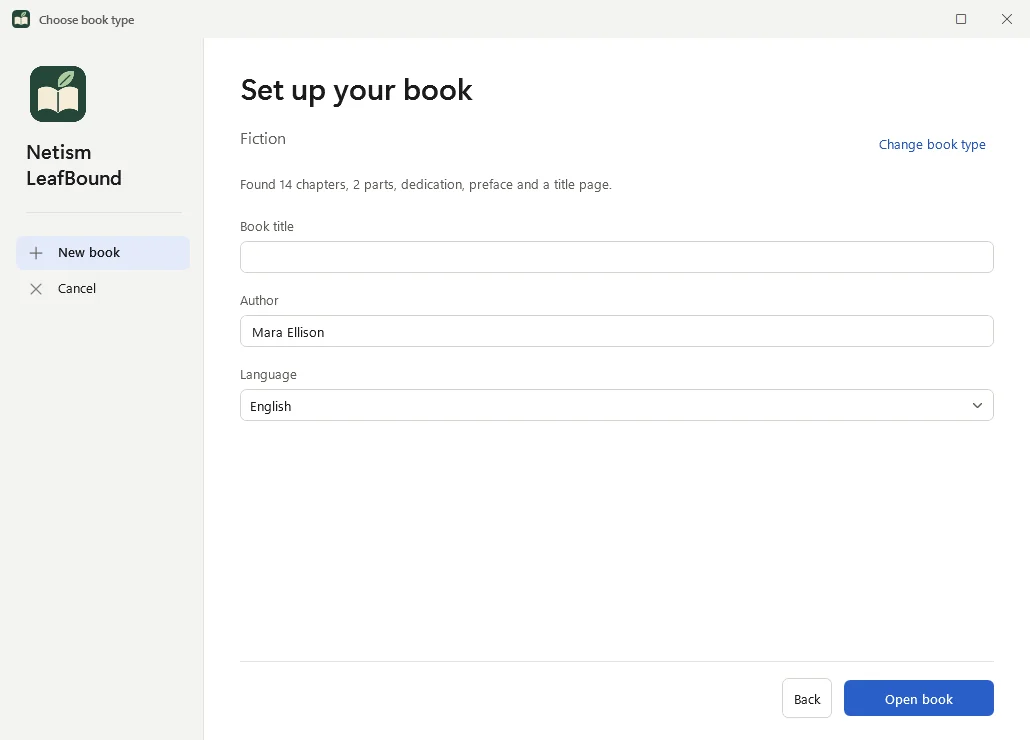
Choose Change book type to pick another type, Back to return to the types, or Open book to go on.
What it looks for
| Found | How |
|---|---|
| Title page | Title, Subtitle and Author styles, lines such as Title: or by Jane Doe, or the opening lines before the first chapter. Every imported book gets a title page built from Book details. |
| Chapters | In this order: heading styles; labels such as Chapter 1, Chapter One, Ch. 4, Lesson 2 or Letter 3; numbered headings such as I. Beginning or 1.; larger type; then bold or centered capitals spread through the text. |
| Parts and volumes | Part II, Book 3 or Volume One, which hold the chapters that follow. |
| Front and back matter | Headings named Prologue, Epilogue, Foreword, Preface, Introduction, Afterword, Acknowledgments, Dedication, Epigraph, About the author, Also by, Bibliography, References, Notes, Glossary or Appendix. “Notes on the River” stays a chapter. |
| Contents | A typed contents list (or Word's generated one) is replaced by LeafBound's contents page, after the title page and any copyright page. |
| Chapter authors | A “by” line under chapter titles, or a name repeated under most chapters. When most chapters have their own author, the book is treated as an anthology. |
| Scene breaks | Lines of ***, #, ~ and similar marks. |
Clean-up it does
- Chapter titles typed in capitals become title case (“THE LINE RETURNS” becomes “The Line Returns”). Mixed-case titles are left exactly as written.
- A drop cap made by hand (a big first letter in a paragraph of its own) joins its word again.
- Empty paragraphs and manual page breaks are removed in Markdown, EPUB and Scrivener imports.
- Text before the first chapter heading goes into an Introduction element, and the Import notes message says so.
- The document's own chapter numbers are kept as LeafBound numbering when they count up normally; numbering that restarts or skips stays in the title.
Related
Still stuck?
Choose Help then Report a problem… in LeafBound to send us the details, or write to support.