 LeafBound
Compare
Kindle Create alternative for Windows: keep your files, leave Amazon-only.
Kindle Create is free and built to feed one store. Authors look for an alternative when the KPF file turns out to be usable only on KDP, when the paperback needs margins, fonts, footnotes or bleed the tool locks away, or when the app stops starting or saving. This page answers each of those, then sets out seven alternatives for Windows and what replaced the retired Kids’ Book Creator and Comic Creator.
Why people look for a Kindle Create alternative
The complaints are consistent across KDP’s own pages, reviews and forum threads, and most of them are not bugs. They are the shape of a free tool built to feed one store.
- The file only works on Amazon. Kindle Create exports KPF, which KDP’s page calls the preferred format for Kindle ebooks and print books and which is accepted only by KDP. “Publishing outside of Kindle” is listed as unsupported for every book type. The EPUB export exists for reflowable books only and, per KDP, loses image bleeds, drop caps over three lines and chapter-start imagery.
- The paperback is locked. KDP’s page says margins are calculated automatically and cannot be changed, the paperback font and size cannot be changed, line spacing cannot be changed, only non-bleed books are supported, and paperbacks with tables, footnotes or endnotes are not supported. One 2026 review sums it up as “locked fonts, locked margins, and no full-bleed images”.
- There is no PDF. The paperback is uploaded as the same KPF. Nothing comes out that IngramSpark or any other printer can use.
- Structured books do not fit. In reflowable books, editing of tables, lists, footnotes and certain complex paragraphs is unsupported, and image captions are unsupported. A 2026 review of the tool leads with Amazon’s own line that it “does not support paperbacks with tables, footnotes, or endnotes”.
- There is no way back to Word. No DOCX, RTF or PDF export. A KDP moderator says converting a Kindle Create file to Word or PDF is not possible, and edits made inside Kindle Create do not flow back to the manuscript.
- The files are big. Reviews report bulky KPF output and note that KDP charges a per-megabyte delivery cost on the 70 percent royalty plan. One forum thread calls that the hidden cost of a free tool.
- The editor is thin. Kindlepreneur’s tutorial (updated 8 April 2026) notes there is no find-and-replace, spell check or word count, and calls the interface clunky. Kindlepreneur’s founder co-founded Atticus, which we state because it is a competitor’s review.
- It sometimes will not start or save. KDP community threads titled “Kindle Create Won’t Start”, “unable to save your project due to a technical error” and “Kindle Create Exporting to EPUB” are the ones that rank for “kindle create not working”. The section below has the fixes Amazon’s staff give.
What to look for
Turn the complaints around and you have the checklist. An alternative should give you:
- An EPUB you can upload anywhere, so one book serves Kindle, Apple Books, Kobo, Nook and Google Play.
- A print PDF, ideally PDF/X-1a:2001, which KDP asks for “if possible” and IngramSpark requires, so the paperback can go to more than one printer. See PDF/X explained.
- Margins, trim, bleed and fonts you control, with some check that the result passes the printer’s rules.
- Footnotes and endnotes that work in print and in the ebook.
- A Word (.docx) way out, so your next tool is never locked either.
- Files on your own disk if the “no cloud, collaboration, or safety net” line in one review bothers you in either direction: you want a safety net, or you want no cloud.
Seven alternatives for Windows
Prices in US dollars, checked 3 November 2026 unless stated. LeafBound is first because it was built for this exact gap: one book, every store, any printer.
LeafBound
$79 Author, $99 Academic, one-time per major version. Native app for Windows 10 and 11. 4-day trial of every feature.
What you gain over Kindle Create: a generic EPUB 3 plus Kindle, Apple Books, Kobo, Nook and Google Play editions from one book; PDF/X-1a:2001 or PDF/X-3:2002 print output with every font embedded; print preflight with more than 25 checks and KDP and IngramSpark profiles; trim, margins and bleed you set; footnotes on the page and endnotes in a Notes section; tables in four styles; 128 themes, each in Standard, Large print and Accessible versions (Author includes 14 core themes, Pro all 128); 63 bundled font families plus your own; EPUB Accessibility 1.1 metadata; an editable .docx export at any time; in Pro, a picture-book designer with fixed-layout EPUB and CMYK color interiors; and, in Academic, citations and equations.
What you give up: a free price; a Mac version, since LeafBound runs on Windows 10 and 11 only; KPF output, which LeafBound does not write. We make LeafBound and wrote this page.
Atticus
$147 one-time. Web app (PWA) with desktop wrappers for Windows, Mac, Linux and Chromebook. No trial; 30-day money-back.
What you gain over Kindle Create: EPUB and a print PDF; 17 or more templates and a theme builder with 1,500 or more Google heading fonts; footnotes, endnotes, callouts and simple tables; co-writer, editor and beta-reader roles; writing goals.
What you give up: a free price; a stated PDF/X standard; local files (the book lives in your account, and reports differ on what works offline); font upload; an accessibility conformance claim. See LeafBound vs Atticus.
Reedsy Studio
Free in the browser.
What you gain over Kindle Create: PDF/X-1a:2001 and EPUB 3 for nothing, which is already more portable than KPF; 30-day version history.
What you give up: template choice (three), trim choice (four sizes), offline use, and a clean title page: the free plan adds a “typeset on Reedsy” credit line.
Draft2Digital formatter
Free in the browser; fees apply only if you publish through Draft2Digital.
What you gain over Kindle Create: an EPUB and a print PDF you can download without publishing and use anywhere; a portable file where Kindle Create gives a locked one.
What you give up: layout control (fixed templates, few options); a stated PDF/X standard; footnotes and scene breaks, which reviews report the automated conversion can strip. See LeafBound vs the Draft2Digital formatter.
Vellum (Mac)
$199.99 for ebooks, $249.99 with print, one-time. macOS 14 or later only; free to use until you generate files.
What you gain over Kindle Create: PDF/X-1a print output (version not stated), EPUB 3 with store editions, about two dozen styles, printed backgrounds, borders and ornaments, box sets.
What you give up: Windows: its makers say no Windows version is planned, so a Mac comes first. See a Vellum alternative for Windows.
Affinity
Free with a Canva account since October 2025. Windows and Mac.
What you gain over Kindle Create: a professional layout program: PDF/X with CMYK, full control of every page, fixed-layout work for picture books and comics, reflowable EPUB in version 3.x.
What you give up: the author’s workflow: no themes, no chapter model, no KDP or IngramSpark preflight, and a learning curve measured in days rather than minutes.
Microsoft Word with KDP’s templates
Part of Microsoft 365. Windows and Mac.
What you gain over Kindle Create: a program you already own; KDP publishes a Word template per trim size with mirror margins already set; footnotes and tables work in print.
What you give up: EPUB output (Word has none), PDF/X (Word writes plain PDF), bleed handling, and the hours spent on chapter openings, running heads and page numbers by hand. The Word import guide shows how to prepare the file for any tool here.
Kids’ books and comics: what replaced the retired tools
Kindle Kids’ Book Creator and Kindle Comic Creator are gone. The KDP community notice, checked 4 November 2026, says both apps were unavailable for download from 6 February 2025, that MOBI files were no longer accepted for publication after 18 March 2025, and that authors should use KPF from Kindle Create or an EPUB instead. Books already published with them stay live. Amazon did not name a like-for-like replacement, which is why both “kindle kids book creator alternative” and “kindle comic creator alternative” are searches with no clean answer. Here is ours.
- LeafBound Pro, for picture books. LeafBound Pro has a picture-book designer for spreads, with a print PDF (CMYK when you need it) and a fixed-layout EPUB from the same pages, for every store rather than Amazon alone. Its fixed-layout ebooks have not been tried on a Kindle device or in Kindle Previewer, so check the file there before you publish, and order a printed proof. KDP’s common picture-book trims are 8.5 x 8.5, 8 x 10 and 10 x 8 in, with a 24-page minimum and 32 pages as the usual length, checked 31 October 2026. The picture-book guide walks through KDP’s rules.
- Comics. LeafBound does not lay out comics. Amazon points to Kindle Create, which takes a PDF or JPEG pages and writes KPF for KDP only, with nothing for other stores or for print.
Kindle Create won’t start or won’t save?
Amazon’s staff give these fixes on the KDP community forum. For “Kindle Create Won’t Start”: uninstall completely, delete the leftover Kindle Create folders in AppData and Program Files, reinstall, and if the window still does not appear, set the program’s High DPI scaling override to “Program DPI”. For “Sorry, we were unable to save your project due to a technical error”: close Kindle Previewer, which is reported to cause the error when it has the same KPF open. For an EPUB export that fails while the KPF export works: there is no published fix.
None of this puts your book at risk, because the book is not inside Kindle Create. It is the .docx you imported, and that file opens in LeafBound. If Kindle Create has become the problem rather than the solution, the move-from-Kindle-Create guide takes that .docx from import to a finished PDF/X file and store editions.
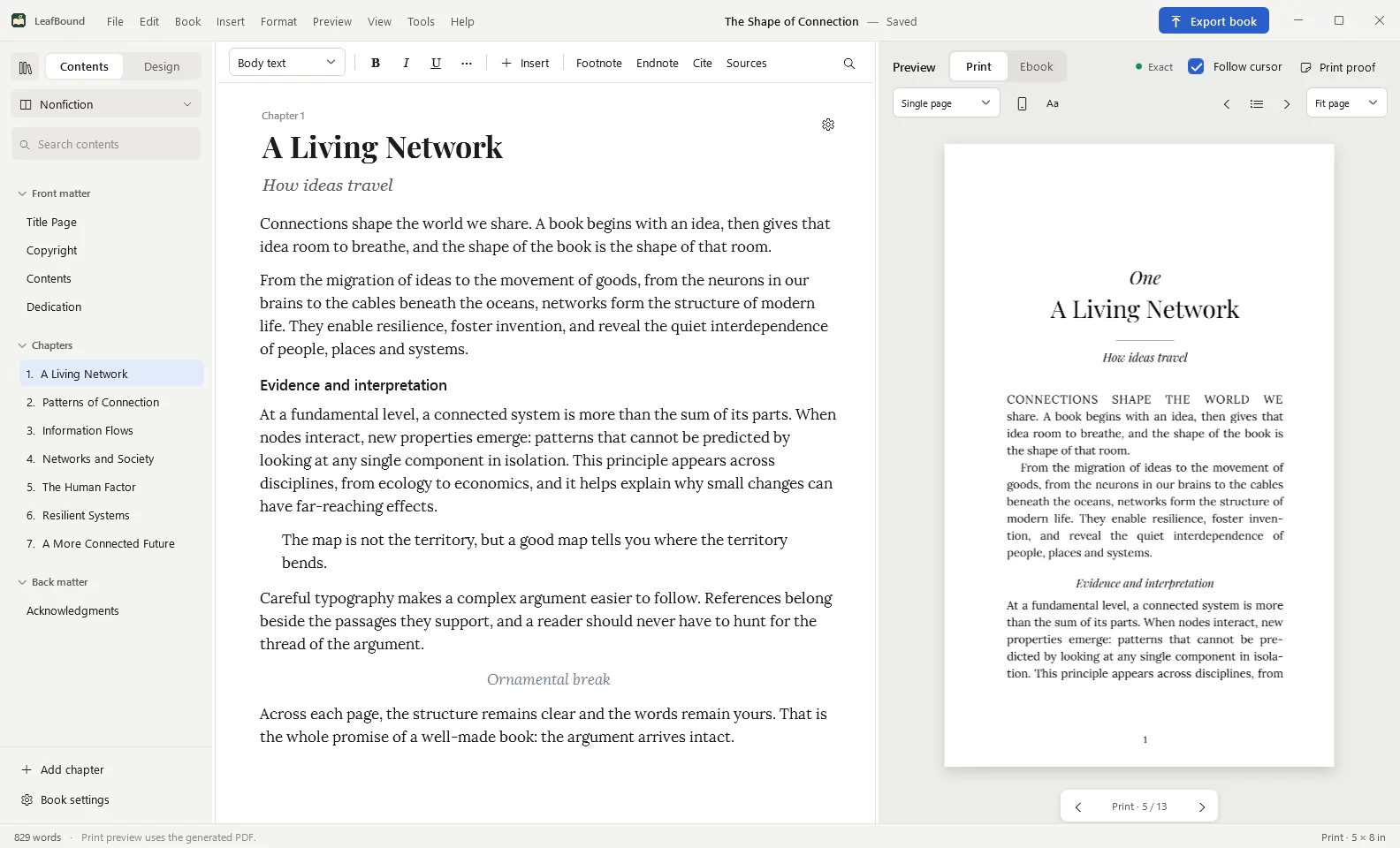
Why LeafBound
What a Kindle Create author gets by formatting the same .docx in LeafBound.
- Every store, not one. A generic EPUB 3 plus Kindle, Apple Books, Kobo, Nook and Google Play editions, with EPUB Accessibility 1.1 metadata.
- A print PDF any printer takes. PDF/X-1a:2001 or PDF/X-3:2002, checked by a preflight with KDP and IngramSpark profiles.
- Your margins, trim, bleed and fonts. Set them yourself; 63 bundled font families plus your own.
- Footnotes and tables in print. Footnotes on the page, endnotes in a Notes section, tables in four styles.
- A way back to Word. An editable .docx export at any time, and files on your own PC.
- Picture books too. Pro adds a picture-book designer with fixed-layout EPUB and CMYK color interiors.
- Try it first. $79 once; the 4-day trial includes every tool.
All of them in one table
Scroll sideways on a phone. “Not stated” means the vendor publishes no claim, not that the feature is missing.
| Tool | Price | Runs on | Try first | Print output | Ebooks | Notes and tables | Themes and fonts |
|---|---|---|---|---|---|---|---|
| LeafBound | $79 Author, $99 Academic, one-time | Windows 10 and 11, native; files on your PC | 4-day trial | PDF/X-1a:2001 and PDF/X-3:2002; CMYK in Pro | EPUB 3 or 2 plus five store editions; fixed layout in Pro | Footnotes, endnotes, tables and callouts | 128 themes (14 in Author), each in three versions; your own fonts |
| Atticus | $147 one-time | Browser; Windows, Mac, Linux, Chromebook wrappers | None; 30-day money-back | Print PDF; PDF/X not stated | EPUB | Footnotes, endnotes, simple tables | 17 or more templates plus a theme builder; no font upload |
| Reedsy Studio | Free (credit line on the free plan) | Browser | n/a | PDF/X-1a:2001 | EPUB 3 | Not stated | 3 templates, 4 trim sizes |
| Draft2Digital formatter | Free (fees if you publish through Draft2Digital) | Browser | n/a | Print PDF; PDF/X not stated | EPUB | Footnotes reported stripped in reviews | Fixed templates; no font upload |
| Vellum | $199.99 ebooks, $249.99 with print, one-time | macOS 14 or later only | Free until you generate files | PDF/X-1a (version not stated) | EPUB 3, EPUB 2, store editions | Footnotes; no tables | About two dozen styles; curated fonts |
| Affinity | Free with a Canva account (since October 2025) | Windows and Mac | n/a | PDF/X, CMYK | Reflowable EPUB in 3.x; fixed layout by design | You build them | Design it yourself |
| Microsoft Word with KDP templates | Part of Microsoft 365 | Windows and Mac | n/a | PDF (no PDF/X) | No | Footnotes and tables in print; nothing for ebooks | KDP templates per trim size |
| Adobe InDesign | About $22.99 a month | Windows and Mac | 7 days | PDF/X, CMYK | Reflowable and fixed-layout EPUB | You build them | Design it yourself |
| Scrivener 3 | $59.99 per platform | Windows and Mac | 30 days of use | PDF/X-1a (paperback compile, macOS 3.3) | EPUB 3 | Footnotes; compile is hard to learn | Compile formats |
| Lacuna | $149 one-time | Windows, Mac and Linux, native | Free to use, pay to export | PDF/X-1a | EPUB 3, EPUB 2, Kobo | Footnotes, tables, call-outs | Not stated |
| Cambric | $199 one-time | Windows and Mac, native | Not stated | PDF/X not mentioned | EPUB 3 | Not stated | 20 or more genre styles (vendor claim); custom fonts |
| Deckle | $197 one-time | Desktop, offline (Typst engine) | Free to use, pay to export | EPUB | No tables or footnotes (reviews) | 26 presets | |
| Calibre | Free, open source | Windows, Mac, Linux | n/a | PDF without PDF/X, bleed or trim boxes | EPUB, AZW3, many others | Converter, not a designer | None; CSS only |
| Kindle Create (for reference) | Free | Windows and Mac | n/a | None; paperback is the same KPF | KPF; EPUB for reflowable only | Not editable; none in paperbacks | 4 locked themes; no font import |
| Kindle Kids’ Book Creator and Kindle Comic Creator | Free (retired) | Downloads ended 6 February 2025 | n/a | No | MOBI, not accepted after 18 March 2025 | n/a | n/a |
Questions
Is Kindle Create good enough?
KDP’s own page describes it as designed for text-heavy books with simple layouts, sold on Amazon. It falls short when you need EPUB for other stores, a print PDF for another printer, footnotes or endnotes in print, bleed, your own fonts or margins, tables, or accessibility metadata. Those are the reasons people search for an alternative.
Can Kindle Create make a paperback?
Yes, from the same project, in any KDP trim size, but KDP’s page says the margins, font, font size and line spacing cannot be changed, only non-bleed books are supported, and tables, footnotes and endnotes are not supported in paperbacks. The paperback is uploaded as a KPF file, not a PDF.
Does Kindle Create export EPUB?
Yes, for reflowable books only. KDP’s page says the EPUB loses image bleeds, drop caps over three lines and chapter-start imagery compared with the KPF, and community threads report the EPUB export failing where the KPF export worked. There is no Word or PDF export.
What replaced Kindle Kids’ Book Creator?
Amazon did not name a direct replacement. The KDP community notice says the Kids’ Book Creator and Comic Creator were unavailable for download from 6 February 2025, that MOBI files were no longer accepted for publication after 18 March 2025, and that authors should use KPF from Kindle Create or an EPUB. For a new fixed-layout children’s book, LeafBound Pro’s picture-book designer exports a fixed-layout EPUB and a print PDF from the same pages, for every store and printer. Its fixed-layout ebooks have not been tried on a Kindle device or in Kindle Previewer, so check the file there before you publish. See the picture-book guide.
What replaced Kindle Comic Creator?
The same notice covers both tools. Amazon points to Kindle Create, which accepts a PDF or JPEG pages for a comic and writes KPF, accepted only by KDP. LeafBound does not lay out comics.
What is the best Kindle Create alternative?
LeafBound, on Windows. It takes the same .docx, writes an EPUB for every store plus Kindle, Apple Books, Kobo, Nook and Google Play editions, and a PDF/X print file checked against KDP and IngramSpark rules, with the margins, fonts, footnotes and bleed Kindle Create locks away. It costs $79 once. The 4-day trial includes every tool; exporting needs a license. Free tools such as Reedsy Studio (three templates, a credit line on the free plan) and the Draft2Digital formatter (fixed templates) have stated limits and no KDP or IngramSpark preflight.
Kindle Create won’t start or won’t save. What do I do?
The KDP community threads list the fixes Amazon’s staff give: uninstall fully, delete the Kindle Create folders in AppData and Program Files, reinstall, and set the program’s High DPI setting to “Program DPI”; the “unable to save your project due to a technical error” message is reported when the same KPF is open in Kindle Previewer. None of this touches your manuscript, which is still the .docx you imported, and that file opens in LeafBound.
Does LeafBound run on a Mac?
No. LeafBound is a native app for Windows 10 and 11, with the book as a file on your PC.
Keep comparing
Take the same manuscript somewhere it can go anywhere.
The free 4-day trial includes every feature: import the .docx you gave Kindle Create, pick a theme and export an EPUB for every store and a PDF/X for any printer.
Early access · Author from $79 once · free 4-day trial · Windows 10 and 11