 LeafBound
Guide · Illustrated books
Picture book formatting for KDP, explained.
Trim sizes, the 32-page map, bleed, color, resolution and what replaced Kindle Kids’ Book Creator. The numbers come from KDP’s own pages, checked 31 October 2026.
Trim size
Pick the trim before you draw a single spread, because it decides the proportions of every page. These three are standard KDP paperback sizes:
| Trim | Shape and use | KDP cost tier |
|---|---|---|
| 8.5 x 8.5 in | Square; the classic picture-book shape | Large trim |
| 8 x 10 in | Portrait; fits a 32-page story with more text | Large trim |
| 10 x 8 in | Landscape; wide scenes and spreads | Large trim |
| 6 x 9 in | Portrait; for early readers and chapter books with spot art | Standard |
Hardcover is available on KDP for a shorter list of trims; check the current list on KDP’s page before planning a hardcover edition.
The 32-page map
A picture book is printed in signatures, so the count is 24, 32 or 40 pages, and 32 is the convention. Here is where everything goes in a 32-page book:
| Pages | Content | Note |
|---|---|---|
| 1 | Half title or title page | Recto |
| 2 and 3 | Copyright page and dedication, or title spread | Spread |
| 4 and 5 | Spread 1: the story begins | Spread |
| 6 to 29 | Spreads 2 to 13 | 12 spreads |
| 30 and 31 | Spread 14: the ending | Spread |
| 32 | Back matter: about the author, or blank | Verso |
Count spreads, not pages, when you plan: pages 2 and 3 face each other, 4 and 5, and so on. A reader always sees two pages at once, so the story beats land on spreads.
Bleed, safe area and margins
- Bleed on every page once any page bleeds. See the bleed guide.
- Safe area: keep text, faces and anything you cannot lose at least 0.25 in inside the trim (KDP’s minimum with bleed is 0.375 in for text).
- Gutter: art that crosses the spread loses a little into the binding; keep faces and words away from the center fold.
- Single pages in the PDF, not spreads, even though you designed in spreads.
Art: color, resolution and text
- 300 dpi at the printed size. A full-bleed 8.5 x 8.5 page needs at least 2,588 x 2,625 pixels. KDP does not upscale.
- Premium color ink for picture books; standard color is cheaper and duller and has a 72-page minimum.
- Color space: KDP accepts RGB and converts it; IngramSpark wants CMYK or a PDF/X-3 file with embedded profiles. Expect saturated RGB colors to print darker.
- Text as text, not baked into the art, so it stays sharp at 7 pt or larger and can be read by screen readers in the ebook. Fonts embedded.
- Flatten transparency before export.
The ebook edition: fixed layout
Amazon retired Kindle Kids’ Book Creator and Kindle Comic Creator on 18 March 2025. The Kindle edition of a picture book is now either a fixed-layout EPUB, which every major store also accepts, or a KPF file from Kindle Create, which only Amazon can use.
| Format | Stores | Notes |
|---|---|---|
| Fixed-layout EPUB | Kindle, Apple Books, Kobo, Google Play; Nook limited | Pages stay as designed; text can be real text with alt text for images |
| Kindle Create (KPF) | Amazon only | Free; locked themes; cannot be sold elsewhere |
| Reflowable EPUB | Every store | Wrong for picture books: the art and text separate |
Where LeafBound fits
LeafBound’s Illustrated book type handles books that mix text and images, and its print preflight checks the things that get picture books rejected: page size with bleed, artwork at the trim edge, text inside the safe area, image resolution after scaling, embedded fonts and transparency. For a book laid out page by page, the picture-book designer in Pro has a 32-page square starter, spreads, bleed and fixed-layout EPUB export. The fixed-layout EPUB has not been tried on a Kindle device or in Kindle Previewer, so open it in Kindle Previewer before you upload it to KDP. If you drew the spreads in a design tool instead, run the finished PDF through LeafBound’s preflight before you upload, and order a printed proof either way.
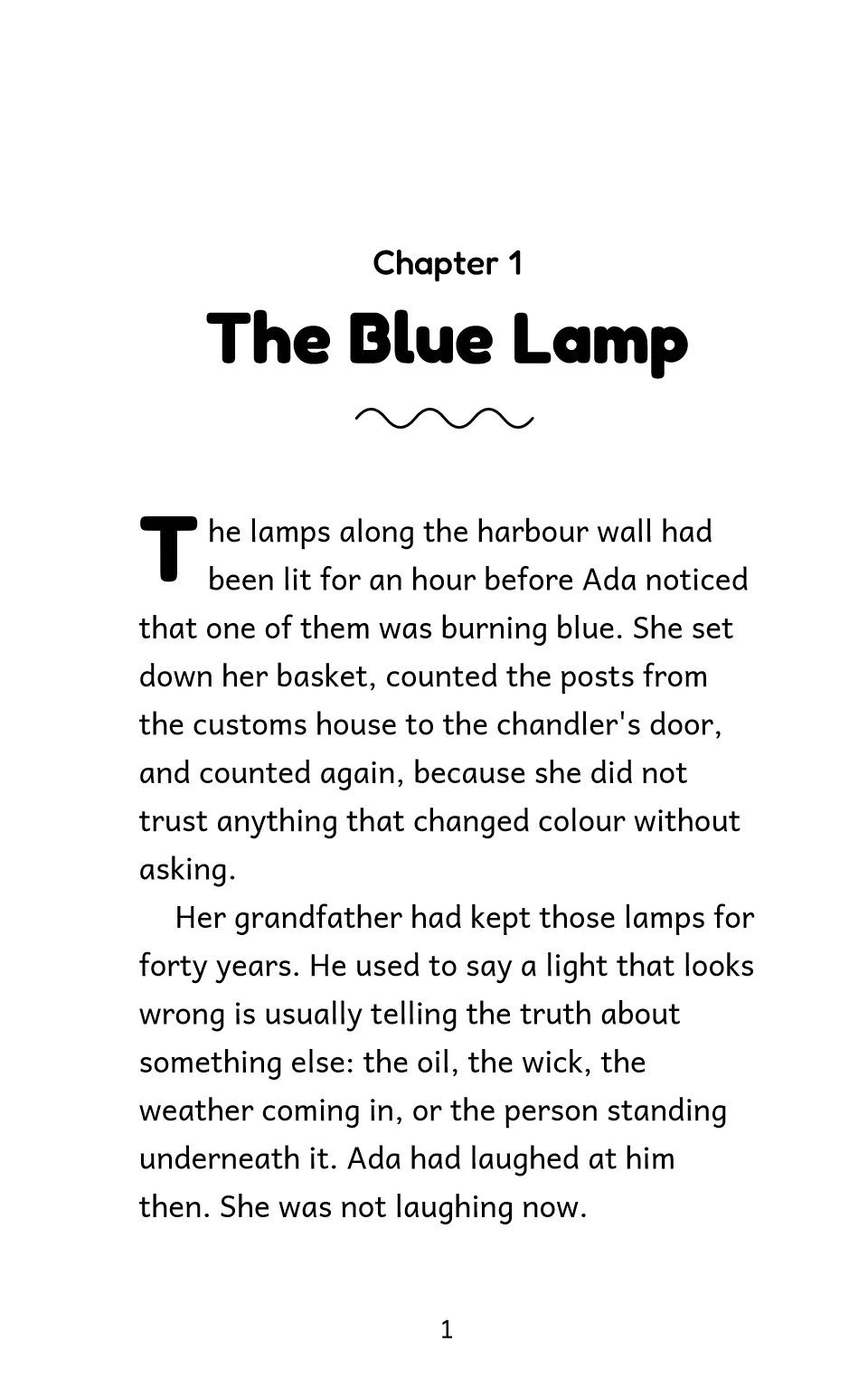
Meadowlark, LeafBound’s theme for children’s and middle-grade text.
Picture book questions
What size should a children’s picture book be on KDP?
The common choices are 8.5 x 8.5 in (square), 8 x 10 in (portrait) and 10 x 8 in (landscape). All three are standard KDP paperback trims. Square and landscape books are counted as large trims, which cost more to print, so check the printing cost in KDP’s calculator before you commit.
How many pages does a picture book have?
32 is the standard, which gives 12 to 14 spreads after the front matter. KDP’s minimum is 24 pages, and color interiors need at least 72 pages only for standard color; premium color, which picture books use, starts at 24. Page counts are rounded up to an even number.
Does a picture book need bleed?
Almost always, because the art reaches the page edge. Add 0.125 in to the top, bottom and outside edges: an 8.5 x 8.5 in book becomes an 8.625 x 8.75 in page. If one page bleeds, the whole file must. Keep text and faces at least 0.25 in inside the trim, and 0.375 in is safer.
What happened to Kindle Kids’ Book Creator?
Amazon retired Kindle Kids’ Book Creator and Kindle Comic Creator on 18 March 2025. For the Kindle edition of a picture book you now upload a fixed-layout EPUB, or build the book in Kindle Create, which produces a KPF file that works only on Amazon.
What is a fixed-layout EPUB?
An EPUB in which every page is a fixed canvas, like a PDF page, instead of reflowing text. Picture books, comics and cookbooks use it so the art and text stay where the designer put them. Kindle, Apple Books, Kobo and Google Play accept fixed-layout EPUB; support on Nook is limited.
Can LeafBound make a picture book?
Yes, in Pro. The picture-book designer lays the book out page by page: a 32-page 8.5 x 8.5 in starter, bleed, spreads, artwork and text over the art. It makes the print PDF with the preflight checks picture books need, and a fixed-layout EPUB for the ebook stores. The fixed-layout EPUB has not been tried on a Kindle device or in Kindle Previewer, so check it there before you publish, and order a printed proof of the paperback. For running text with images, LeafBound also has an Illustrated book type.
More guides
Check the print file before you upload.
Run the finished PDF through LeafBound’s KDP paperback profile and see every page’s bleed, safe area and image resolution checked.
Early access · Author from $79 once · free 4-day trial · Windows 10 and 11