 LeafBound
- In the library, choose LeafBound account at the top right.
- Read the heading and the lines below it.
- Choose Done to close the window.
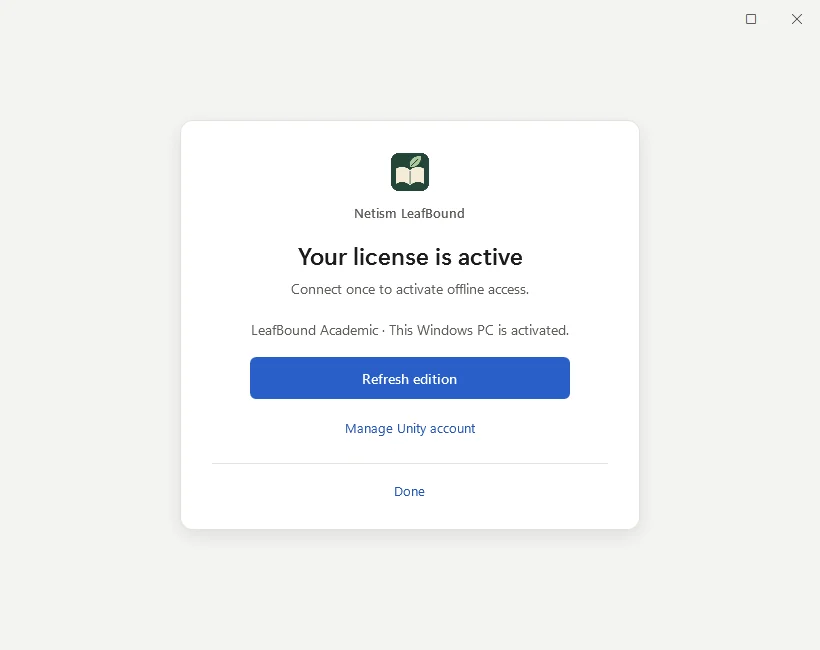
What the window shows
| Line | Meaning |
|---|---|
| Your license is active | This PC is activated. If it says Activate LeafBound instead, connect with Continue to sign in from the sign-in window. |
| A trial line such as "4-day trial · 2 days left" | You are on the trial. On the last day it says "last day". |
| "Access until … · works offline for up to 10 days at a time", with a date | A license that runs until that date. |
| "Licensed for version … · works offline for up to 10 days at a time", with a version number | A purchased license for that major version. |
| "LeafBound Book" or "LeafBound Academic", then "This Windows PC is activated." | The edition. Academic means your plan includes the citation tools; Book means it does not. |
Buttons
| Control | What it does |
|---|---|
| Refresh edition | Checks your license with the LeafBound account server now, for example right after you buy or upgrade. If it cannot connect, it says "Could not refresh. Your saved offline license is unchanged." |
| Manage your account | Opens your LeafBound account page in your browser, where you can see your plan and computers. |
| Done | Closes the window. |
LeafBound also checks your license in the background while you are online, so a new plan arrives by itself within about 15 minutes.
Related
Still stuck?
Choose Help then Report a problem… in LeafBound to send us the details, or write to support.