 LeafBound
 for novelists
Your novel, typeset like the books on your shelf.
Import the manuscript you already have, choose a design made for fiction, and export a print-ready paperback and every ebook edition from one file. On Windows, from $79 once.
- 128themes, 14 of them in the Author tier
- 25+print checks for KDP and IngramSpark
- 11 sto export a 224-page print PDF
- $79once. No subscription
What a novelist gets
Chapters found for you
Smart import reads a Word, Markdown, plain text or EPUB manuscript and finds the title page, parts, prologue, chapters and epilogue, even when they were typed with bold and a bigger font.
Chapter openings that look designed
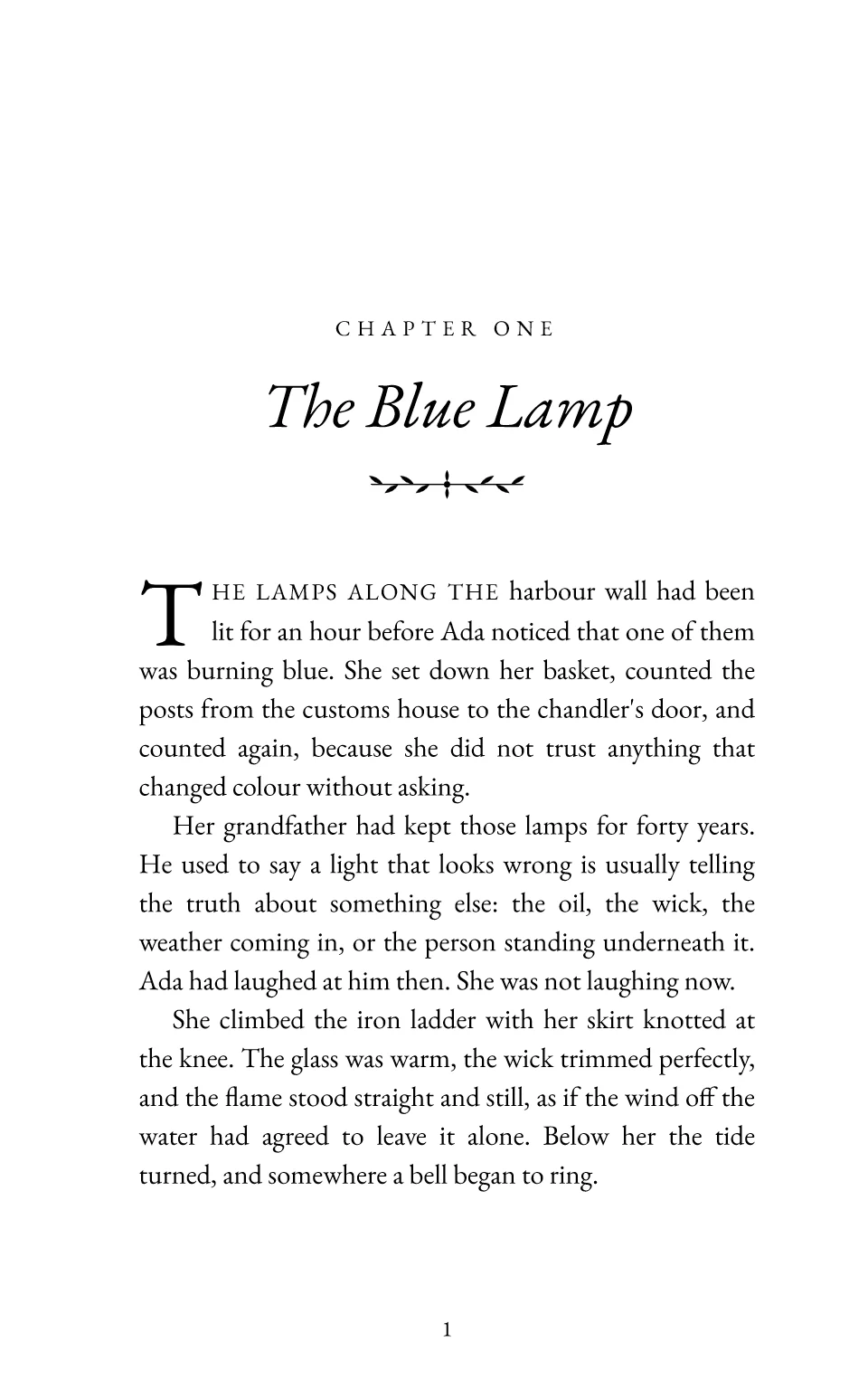
Number styles from 1 to Chapter One, drop caps, small-cap lead-in words and scene-break ornaments, set by the theme and adjustable in real point sizes.
A paperback KDP accepts
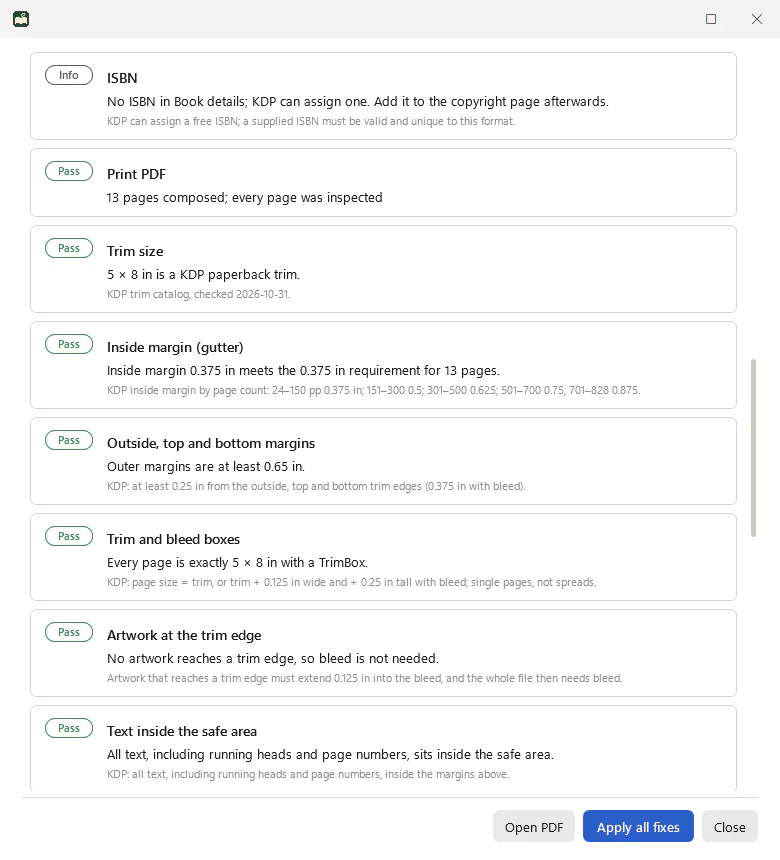
Print preflight checks the finished PDF against KDP and IngramSpark rules: trim, the inside margin for your page count, bleed, embedded fonts and more, with one-click fixes.
Every ebook store from one export
An EPUB for each store, a Kindle edition for KDP, and editions for Apple Books, Kobo, Nook and Google Play, each with its own store links.
The page as it will print
The preview beside your text is the real print PDF, redrawn a moment after you stop typing, so the page count you see is the page count you upload.
Yours to keep
Bought once for the major version, with no subscription. Your books are files on your own PC, and Word export keeps working even without a license.
Start with the manuscript you have.
Most novels arrive as a Word file with chapter titles in bold. That is enough.
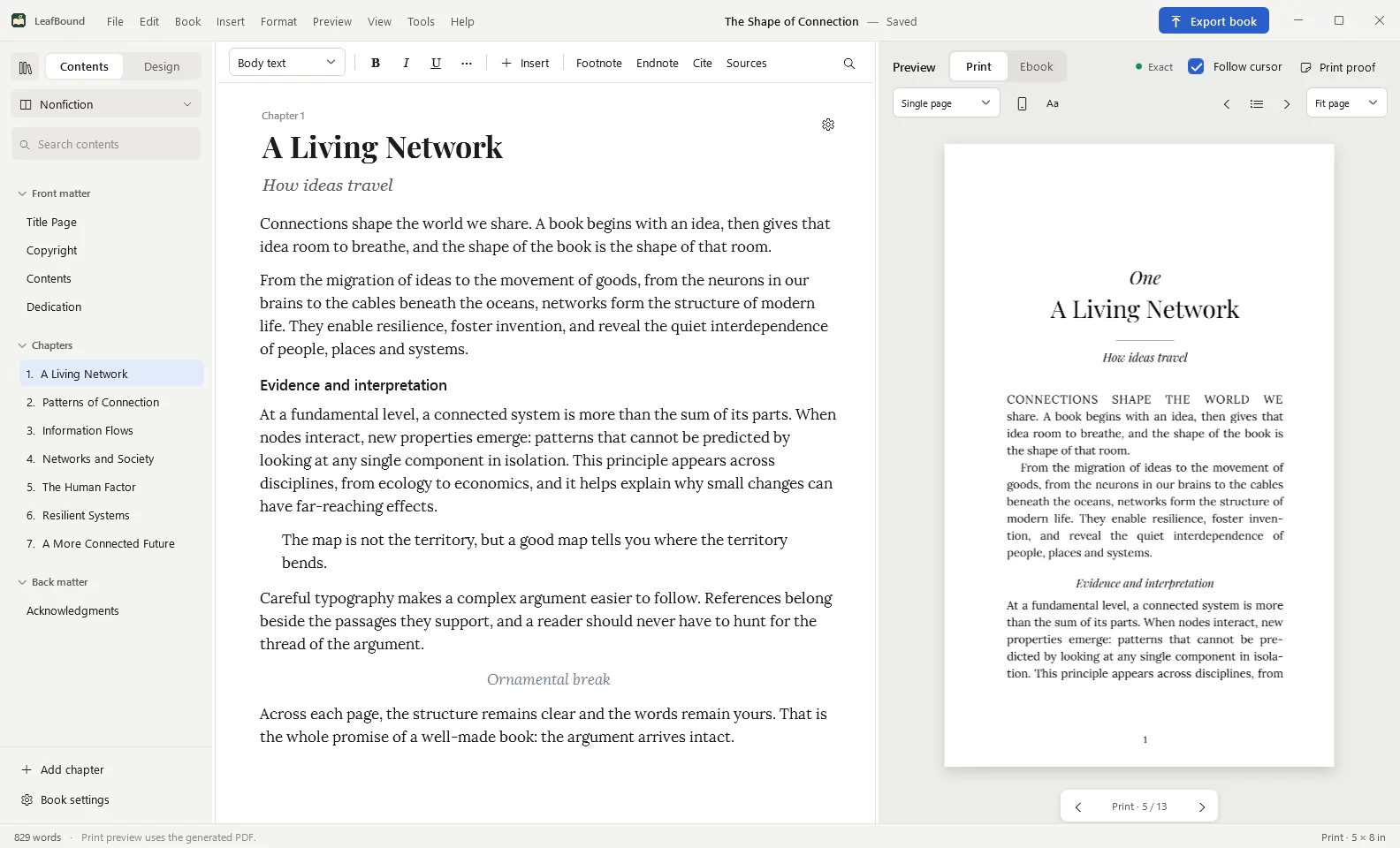
LeafBound reads Word (.docx), Markdown, plain text and EPUB files, and Vellum projects. It finds the structure, replaces a hand-typed contents list with one it keeps up to date, turns * * * lines into scene breaks and rejoins hand-made drop caps. Before you start, it shows what it found and lists anything it moved.
If your manuscript needs tidying first, the Word import guide shows which heading styles and footnotes carry over cleanly.
A design made for your genre.
128 themes in 394 variations, each with its own typefaces, chapter openings and ornaments.
Hearthstone suits literary and classic fiction, Steel suits thrillers and crime, Vesper suits gothic and dark romance, Orbit suits science fiction and Gaslight suits historical fiction. Switching theme restyles the whole book in one click, and every theme also comes in Large print and Accessible versions.
The Author tier includes 14 core themes. Pro includes all 128 and the theme designer, where you can import your own fonts and save your design as a theme file. Browse the themes.
A print file that passes the first time.
Rejections usually come from margins, bleed and fonts. LeafBound checks all three before you upload.
Pick your trim, for example 5 x 8 in or 5.5 x 8.5 in, and print preflight checks the inside margin KDP requires for your page count, with a one-click fix if it is too narrow. It reads the finished PDF page by page and reports what is wrong and where. The trim size guide and the margins guide explain the rules it checks.
- Trim, inside and outer margins, bleed and the safe area
- Minimum text size, image resolution, embedded fonts and transparency
- Profiles for KDP paperback and hardcover and for IngramSpark
- The printer makes the final decision, so order a printed proof before you publish
Built for the second book, and the tenth.
A series looks like a series when every volume uses the same design. Use the same theme for the next book. In Pro, the theme designer saves your adjusted design to My themes or exports it as a file. The book details hold the series name, the ISBN and the language, and you can edit them from the title page at any time.
Exports are quick enough to revise freely: on our test PC a 392-page novel exports to a print PDF in about 18 seconds.
Which tier
Author, $79 once.
Author covers novels, short stories and poetry in print and as ebooks, with 14 core themes and print preflight. The free 4-day trial includes every tool in the personal tiers.
Questions
Can I format a novel without learning layout software?
Yes. You import the manuscript, choose a theme and a trim size, and LeafBound sets the pages. You adjust the design with plain controls such as chapter number style, drop cap and scene-break ornament, not with frames and master pages.
What trim size should a novel be?
5 x 8 in, 5.25 x 8 in and 5.5 x 8.5 in are the common paperback trims for fiction, and 6 x 9 in suits longer books. The KDP trim size guide lists every size and what each costs to print.
Will the file be accepted by KDP and IngramSpark?
Print preflight checks the finished PDF against the rules both printers publish and fixes most problems in one click. The printer makes the final decision when you upload, so order a printed proof first.
Can I make the ebook from the same file?
Yes. One export makes the print PDF and the ebook editions together: EPUB 3 or EPUB 2, a Kindle edition for KDP, and editions for Apple Books, Kobo, Nook and Google Play.
Does LeafBound run on a Mac?
No. LeafBound is a native app for Windows 10 and 11.
Is it a subscription?
No. The Author tier is $79 once for the major version, and updates within that version are free.
Keep reading
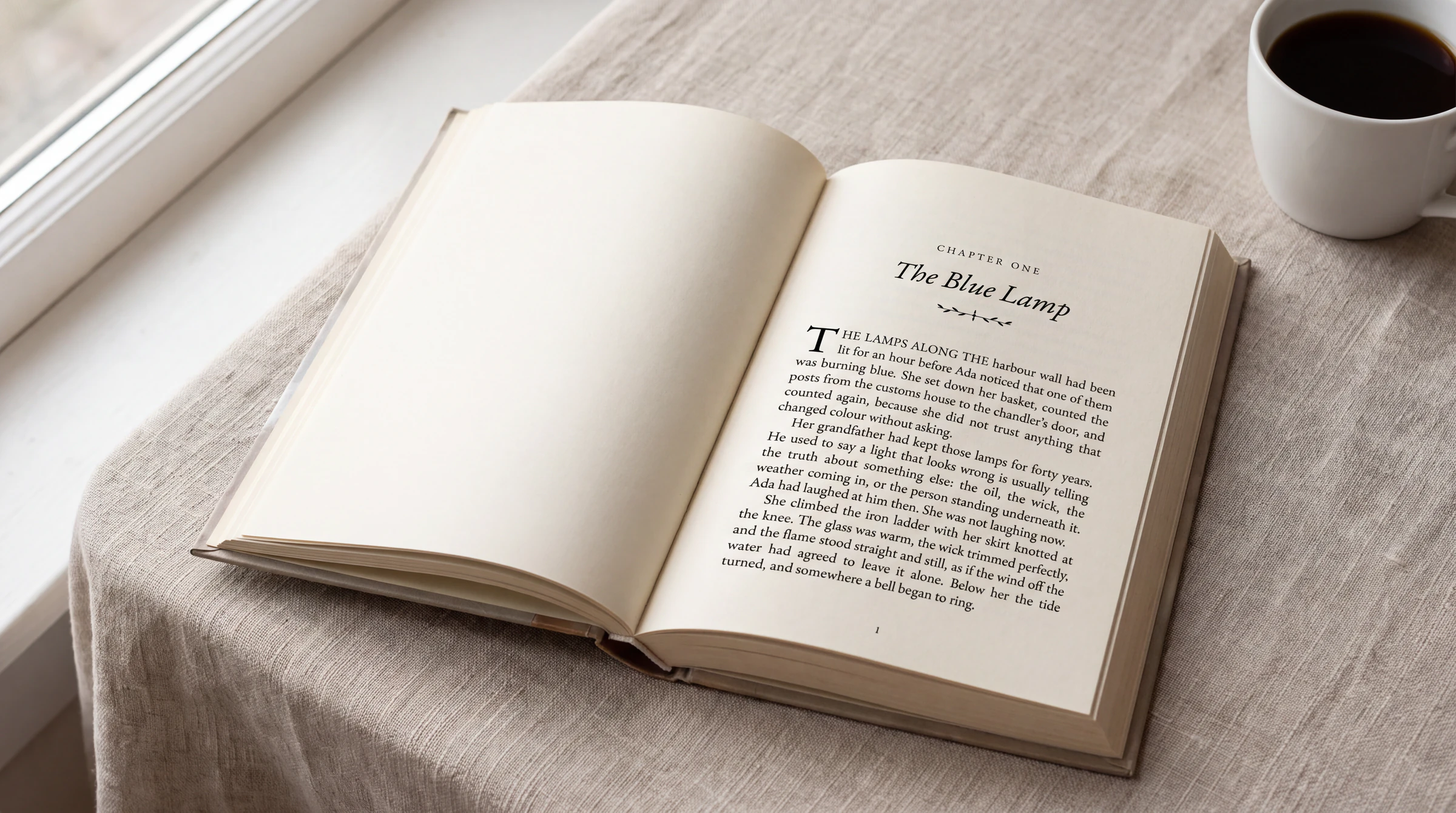
The book page in the photograph was typeset in LeafBound. The photograph is an illustration, and small text in it may differ from the exported page.
See your own novel typeset before you pay.
The free 4-day trial lets you import your manuscript, try the fiction themes and run a print preflight.
Early access · Author from $79 once · free 4-day trial · Windows 10 and 11