 LeafBound
 for science fiction authors
Your science fiction, in a design built for the genre.
Orbit is a theme made for science fiction. Import the manuscript, keep its parts, maps and notes in order, and export a print-ready paperback and every ebook edition from one file. On Windows, from $79 once.
- 128themes in Pro, 14 core themes in Author
- about 18 sto export a 392-page print PDF on our test PC
- 5ebook store editions from one export
- $79once. No subscription
What a science fiction author gets
A theme made for the genre
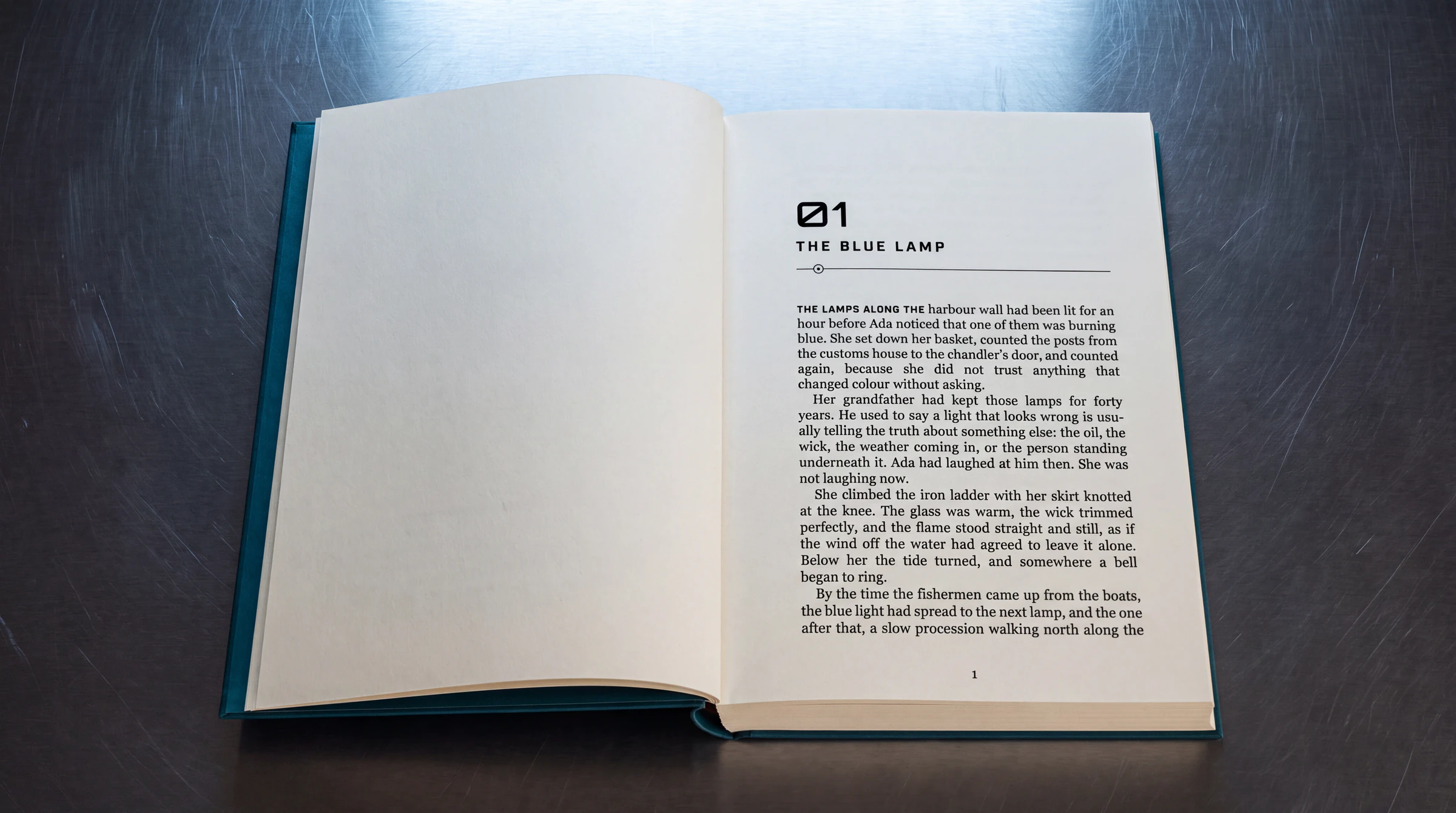
Orbit sets the typefaces, chapter openings and scene-break ornaments for science fiction. One click applies it to the whole book, and one more tries a different design.
Parts and books kept in order
Smart import reads Part One, Book Two and numbered headings as structure, so a novel in three parts arrives with its parts, prologue and chapters in place.
Maps, charts and diagrams
Insert a star map or a ship diagram with its placement, width, frame and caption, and add a description so the ebook works for readers who use a screen reader.
Logs and transmissions set apart
Callout boxes in six treatments set a ship’s log, an intercepted transmission or an encyclopedia entry apart from the narration.
Long books without long waits
On our test PC a 392-page book exports to a print PDF in about 18 seconds, and the preview beside your text is that same PDF.
Ebooks for every store
One export writes a general EPUB and editions for Kindle, Apple Books, Kobo, Google Play and Nook, with notes linked and the chapter openings kept.
Orbit, and how to make it yours.
A science fiction interior should look like science fiction before the reader gets to the first line.
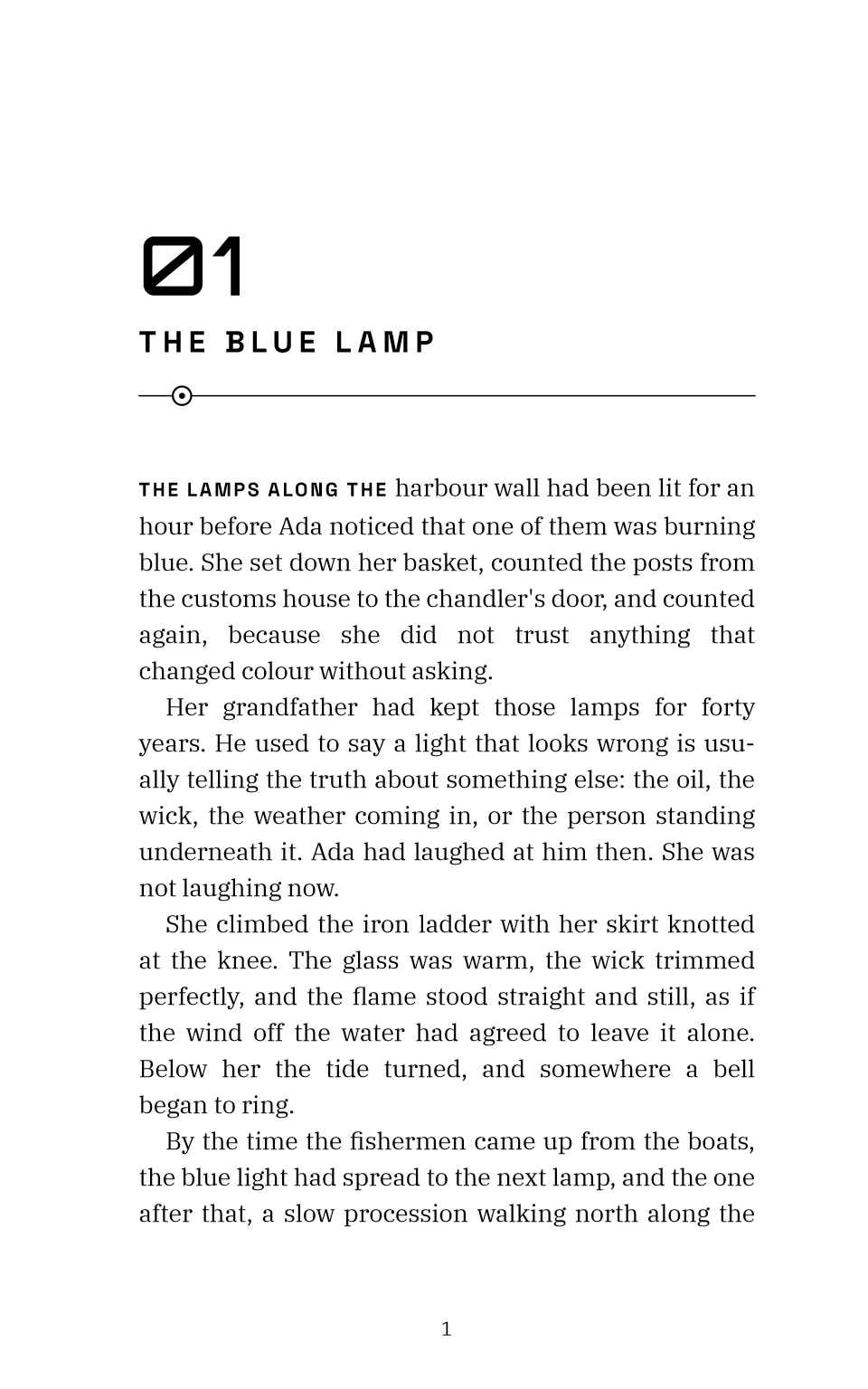
Orbit is in the full library that comes with Pro. Choose it and every page follows: body type, chapter openings, running heads and the ornament between scenes. From there the controls are plain ones. Set the chapter number as 01, a Roman numeral or Chapter One, start chapters with a drop cap or small-cap lead-in words, and change sizes in real points.
The free 4-day trial includes every theme, so you can see your own first chapter in Orbit before you choose a tier. Browse the themes, or read how the design controls work on the chapter openings page.
Room for the world you built.
Science fiction often carries more than chapters: a map, a timeline, a list of ships, a note on the science.
Each of those has a place. A map goes in as an image with a caption. A timeline or a crew list fits a table, which comes in four styles. A note on the science can sit at the foot of the page as a footnote or at the end of the book as an endnote, and both become linked notes in the ebook.
A glossary of invented terms can be typed as a chapter at the end of the book in the Author tier. Glossary, index and cross-reference tools are part of the Academic tier, for books that need them.
- Epigraph and dedication pages as built-in front matter
- Images with placement, width, frame, caption and description
- Tables in four styles
- Footnotes and endnotes, linked in every ebook edition
Long novels, with the page count in view.
If your novel runs long, the trim size matters. 6 x 9 in suits longer books, and a KDP paperback can hold up to 828 pages on white paper or 776 on cream. The trim size guide has the full list, and the free KDP print calculator gives the inside margin and spine width for your page count.
Compare themes shows up to three designs on your own text with the page count of each. Print preflight then checks the finished PDF, including the inside margin a book of that length needs.
Trilogies, series and omnibus editions.
Set the second and third books in the same theme, so the trilogy matches on the shelf. In Pro, the theme designer saves an adjusted design to My themes. The book details hold the series name. When the series is complete, a box set builds one book from several as linked volumes, which is how you make an omnibus edition.
Which tier
Author, $79 once.
Author covers science fiction in print and as ebooks, with 14 core themes, footnotes and endnotes, print preflight for KDP and IngramSpark and every store edition. Orbit is in the full library that comes with Pro. Pro has all 128 themes and the theme designer.
Questions
What trim size should a science fiction paperback be?
5.5 x 8.5 in is a common fiction trim, and 6 x 9 in suits longer books because the larger page keeps the page count down. The KDP trim size guide lists every size.
Is the Orbit theme included in the Author tier?
Orbit is in the full library that comes with Pro. The free 4-day trial includes every theme, so you can try Orbit on your own book first. Compare the tiers.
Can I include a star map or a diagram?
Yes. Insert it as an image and set its placement, width, frame and caption. Print preflight checks the image resolution in the finished PDF, and the ebook export asks for a description of any image that lacks one.
Can I add a glossary of invented terms?
Yes. In Author, type it as a chapter at the end of the book. The Academic tier adds glossary, index and cross-reference tools.
Can I use my own font for chapter titles?
Yes, in Pro. The theme designer imports .ttf and .otf fonts and reads each font’s embedding permission first. A font whose maker forbids embedding is refused, because a print PDF has to embed every font it uses. See the fonts page.
Does the ebook keep the design?
The ebook editions follow the theme’s typefaces, chapter openings and ornaments. They do not fix the page color or force a text size, so each reader’s own settings still apply. See the ebooks page.
Keep reading
The book page in the photograph was typeset in LeafBound. The photograph is an illustration, and small text in it may differ from the exported page.
See your first chapter in Orbit.
The free 4-day trial lets you import your manuscript, set it in Orbit and check the page count before you pay.
Early access · Author from $79 once · free 4-day trial · Windows 10 and 11