 LeafBound
Large print and accessible editions
Make the large print edition without formatting the book twice.
Every LeafBound theme comes in three versions: Standard, Large print and Accessible. Switch version, read the new page count in the real print preview, and export the edition from the manuscript you already have.
- 17 ptbody text in the Large print version
- 3versions of every theme
- 128themes, 14 of them in the Author tier
- $79once. No subscription
What the two versions give you
Large print in one switch
The Large print version of a theme sets the body text at 17 pt, ragged right, with no hyphenation. It is a version of the theme you chose, so there is no second design to build.
An Accessible version of every theme
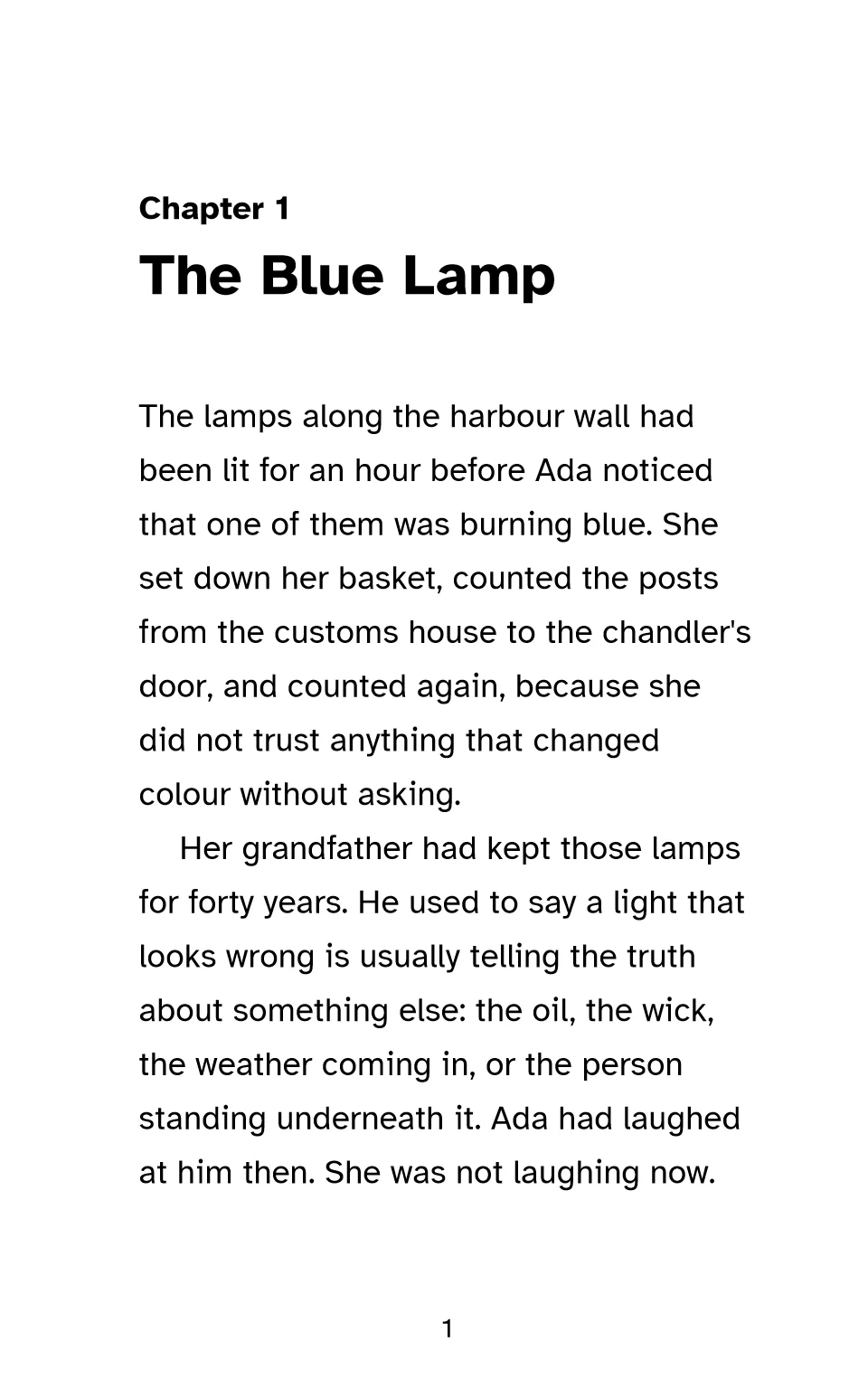
The Accessible version is set in Atkinson Hyperlegible, with left-aligned headings in mixed case and no drop caps.
The page count before you commit
The preview is the real print PDF. Switch version and the page count is the one you would upload, so you can plan the trim and the price.
Versions side by side
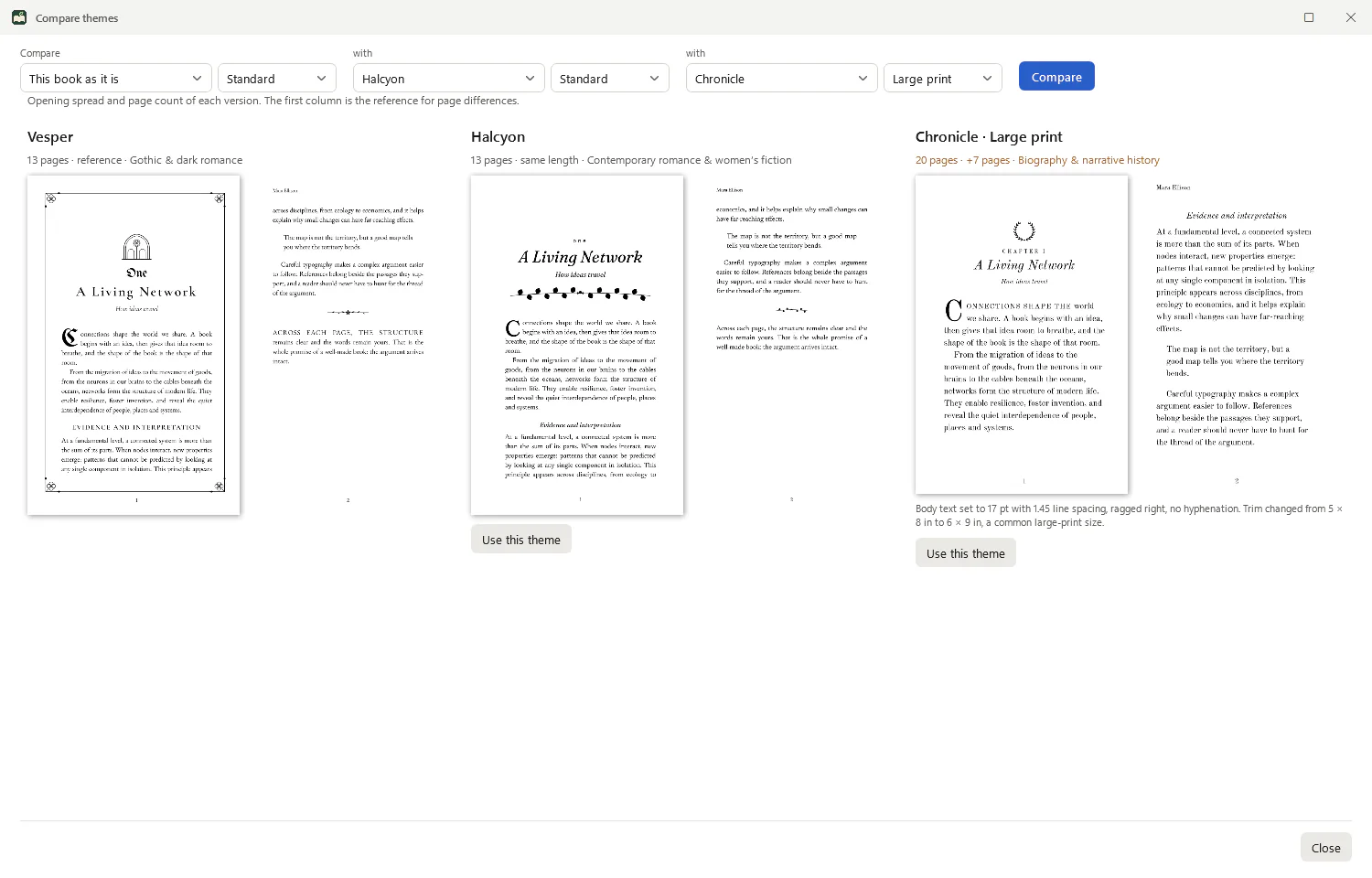
Compare themes puts up to three designs next to each other on your own text, each with its page count.
A check on the longer book
More pages can mean a wider inside margin. Print preflight reads the finished PDF and checks it against KDP and IngramSpark rules.
Ebooks that declare what they offer
The ebook carries EPUB Accessibility 1.1 metadata, claimed only when every informative image has a description.
What the Large print version sets.
Bigger type moves every line break in the book, so LeafBound sets the pages again.
In the Large print version the body text is 17 pt. Lines are set ragged right, so the space between words stays even, and hyphenation is off, so no word is split at the end of a line. All 128 themes have a Large print version, including the 14 core themes in the Author tier.
What counts as large print, what KDP’s Large Print label means and how much leading and margin the larger type needs are covered in the large print formatting guide. Read it before you choose a trim. This page is about making the edition once you have decided to.
What the Accessible version sets.
Three choices, applied to the whole book.
The Accessible version sets the book in Atkinson Hyperlegible, a typeface designed for readers with low vision. Headings are left-aligned and in mixed case, and chapters open without drop caps, so the first word of a chapter reads as an ordinary word. Atkinson Hyperlegible is one of the 63 bundled font families, so there is nothing to install or license.
If you came here looking for a dyslexia friendly book layout: LeafBound has no setting with that name and makes no medical claim. The large print guide lists the layout choices that reading research supports, among them ragged-right text and no hyphenation at line ends. The Large print version applies both, and the Accessible version adds a typeface whose letterforms are designed to be hard to confuse.
Decoration is the other half of the decision. The page frames guide explains why frames and heavy ornament are best left out of these editions.
See the page count before you choose a trim.
Larger type means more pages, and more pages change the spine, the inside margin and the print cost.
LeafBound shows you the number instead of asking you to estimate it. The preview beside your text is the real print PDF, so after you switch version the page count on screen is the page count of the file you would upload. Compare themes shows up to three designs side by side, each with its page count, so you can weigh a theme’s Standard version against its Large print version on your own opening chapter.
When the count climbs further than you want, a larger trim brings it back. The trim size guide lists the sizes, and print preflight then checks the finished PDF, including the inside margin for the new page count. The printer makes the final decision, so order a printed proof of the large print edition as well.
The ebook side: metadata, claimed only when it is true.
A reflowable ebook has no large print edition to make, because the reader chooses the text size. What an ebook needs is to work with assistive technology and to say so in a form stores can read. LeafBound writes EPUB Accessibility 1.1 metadata into the ebook and claims it only when every informative image is described. A Describe images step collects the descriptions, and the ebook carries a print page list.
That is a declaration inside the file, not a certificate. No third party has certified LeafBound’s ebooks. The EPUB accessibility guide explains the metadata and how to test your own file, and the ebooks page covers the store editions.
Which tier
Author, $79 once.
The Large print and Accessible versions and accessible ebooks are part of the Author tier, for its 14 core themes, Clear Print among them. Pro includes all 128 themes, each in the same three versions. The free 4-day trial includes every tool in the personal tiers.
Questions
Can I make a large print edition from the same file as my regular paperback?
Yes. Large print is a version of your theme, not a separate project. The same manuscript is set again at 17 pt, ragged right and without hyphenation, and you export it as its own print PDF. The large print guide explains how the edition is listed with a printer.
What size is the text in the Large print version?
17 pt body text. The large print guide sets out the size ranges that libraries and printers use for the term, so you can check the edition against the definition that matters to your readers.
Is the Accessible version a dyslexia font?
No. It uses Atkinson Hyperlegible, a legibility typeface designed for low vision, with left-aligned mixed-case headings and no drop caps. It is a typesetting choice, not a treatment, and we make no claim about reading outcomes.
How many more pages will my large print edition have?
That depends on your book, the theme and the trim, so LeafBound shows you. Switch to the Large print version and read the page count in the preview, or open Compare themes to see the Standard and Large print versions together.
Does LeafBound certify that my book meets an accessibility standard?
No. The ebook carries EPUB Accessibility 1.1 metadata, claimed only when every informative image is described. That is a statement in the file, and no third party has certified it. In print, the Large print and Accessible versions are typesetting choices and are not certified against a standard.
Can I set a large print edition in my own font?
Importing your own fonts is part of the theme designer, which is in Pro. LeafBound checks each font’s embedding permission first. See fonts.
Keep reading
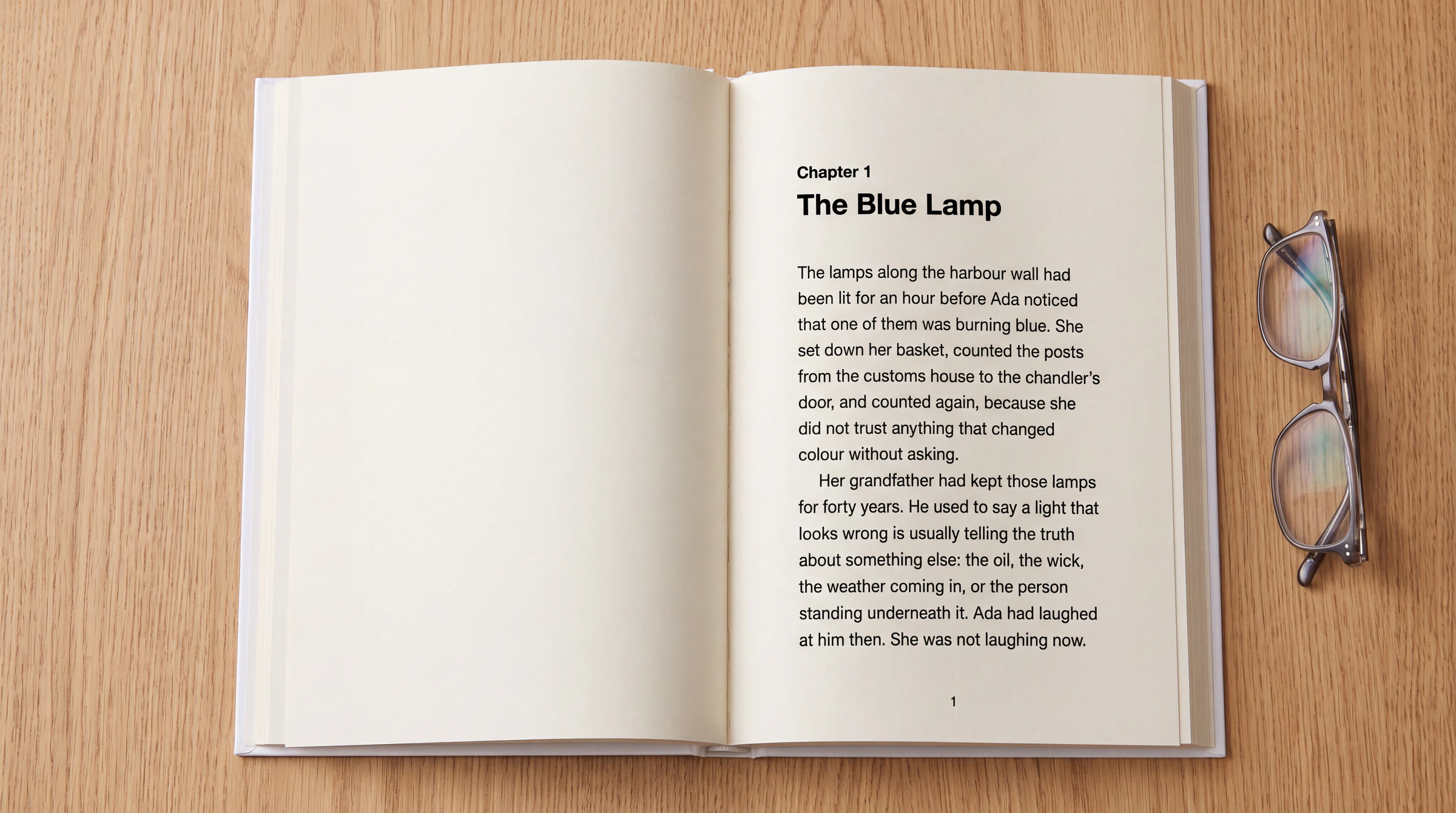
The book page in the photograph was typeset in LeafBound. The photograph is an illustration, and small text in it may differ from the exported page.
See your book in large print before you pay.
The free 4-day trial lets you import your manuscript, switch to the Large print and Accessible versions and compare the page counts.
Early access · Author from $79 once · free 4-day trial · Windows 10 and 11