 LeafBound
Compare
InDesign alternatives for book formatting: six options, honestly.
People search for an InDesign alternative for one of three reasons: the subscription, the learning time, or an export that keeps failing. This page answers whether you need InDesign at all, lists what to look for instead, and compares six alternatives, one of them free, with what each gives up. LeafBound comes first, because it was built for books.
Do you need InDesign for your book?
For a text book, no. A novel, a memoir, a poetry collection or a nonfiction book with footnotes needs one column of well-set type, running heads, page numbers, chapter openings, a contents page and a clean PDF/X file for the printer. Several tools built for books supply all of that from a Word manuscript. A self-publishing guide from 25 June 2026 answers the question the same way: you do not need InDesign to format your book (ebookpbook).
For a picture book, LeafBound Pro has a picture-book designer that places pictures and text page by page and exports a fixed-layout ebook and a CMYK print file. The LeafBound vs InDesign page compares the two row by row.
Why people look for an alternative
- The subscription. InDesign is US$22.99 a month on the annual plan billed monthly, with no perpetual license, checked 4 November 2026 on adobe.com. Over three years that is $827.64 for a program many authors open a few times a year. A guide from 23 September 2026 adds that the software stops opening if you stop paying (publishing.co.uk). See InDesign pricing.
- The learning time. “InDesign has a big learning curve,” an author wrote in a self-publishing forum (Goodreads, 12 September 2015); reviewers in 2026 put a first book at “weeks rather than hours” (The Novel Kit).
- EPUB export. Adobe’s own community guide for novices says “Reflowable EPUB does not support footnotes well but there are several options for including them” (Adobe community, 1 December 2022). Authors who hit this search for a tool that makes the ebook from the same text as the print book.
- No Word export. InDesign exports text one story at a time as RTF, Text Only or Tagged Text, never as .docx. An author who wants the manuscript back in Word for an editor has work to do first.
What to look for instead
The complaints imply the checklist. An alternative for book formatting should have:
- A one-time price, or no price, and a program that keeps opening your files.
- Word (.docx) in, so the manuscript you already have is the starting point, and ideally .docx out, so you are never locked in.
- PDF/X-1a:2001 or PDF/X-3:2002 output with every font embedded, because that is what IngramSpark names and what KDP prefers. See PDF/X explained.
- Footnotes that work in print and in the ebook from one manuscript.
- EPUB 3 with accessibility metadata, and store editions if you sell beyond Amazon.
- Designed layouts, so you are not starting from a blank page.
- A check of the finished PDF against the printer’s rules before you upload.
The six alternatives
LeafBound first, because it is built for books; then the others with what each gives up. Prices in US dollars.
LeafBound
$79 Author, $99 Academic, one-time per major version. Native app for Windows 10 and 11. 4-day trial of every feature.
What you gain: a formatter built for text books: Word (.docx) or RTF in and an editable .docx out; 128 themes, each in Standard, Large print and Accessible versions (Author includes 14 core themes, Pro all 128); a preview composed from the generated print PDF; PDF/X-1a:2001 and PDF/X-3:2002 with every font embedded; print preflight with more than 25 checks and KDP and IngramSpark profiles; EPUB 3 or 2 plus Kindle, Apple Books, Kobo, Nook and Google Play editions with EPUB Accessibility 1.1 metadata; footnotes and tables that work in print and ebooks; your own fonts; in Pro, CMYK color interiors and a picture-book designer with fixed-layout ebooks; and, in Academic, citations in Chicago, APA 7, IEEE or Vancouver style, an index and LaTeX equations.
What you give up: free page-by-page design for anything other than a picture book, such as a cookbook or an art book; a Mac version, since LeafBound runs on Windows 10 and 11 only. We make LeafBound and wrote this page.
Affinity by Canva (free; November 2026 release)
Free with a verified Canva account; paid Canva plans add only AI tools. Windows and Mac, with an iPad version from 2 November 2026. Checked 4 November 2026 on affinity.studio.
What you gain: a general layout program at no cost: master pages, sections, running headers, a table of contents, an index, footnotes, sidenotes and endnotes, tables, cross-references, a Book feature for multi-chapter files, a baseline grid, preflight with custom rules, IDML and INDD import, PDF/X-1a:2003 and PDF/X-3:2003 presets with CMYK, and reflowable and fixed-layout EPUB 3.0 with accessibility metadata.
What you give up: the learning curve, which reviewers say is much of InDesign’s; any text export (the export reference lists none, so the text comes out by copy and paste or through an EPUB and Calibre); a KDP or IngramSpark preflight profile; designed book layouts. Its PDF/X strings are :2003 rather than the :2001 and :2002 IngramSpark names, and neither vendor says whether that matters. See LeafBound vs Affinity.
Vellum (the Mac book formatter at vellum.pub)
$199.99 for ebooks, $249.99 with print, one-time; upgrade $69.99. macOS 14 or later only; the makers say no Windows version is planned. Free to use until you generate files. Checked 3 November 2026.
What you gain: about two dozen designed styles, PDF/X-1a print (the year and output intent are not stated on its site), EPUB 3 with store-specific editions, accessible styles, printed backgrounds, borders and ornaments, and box sets.
What you give up: Windows: it needs a Mac. Also your own fonts (curated list only), tables (convert to images), citations and equations, and a KDP or IngramSpark preflight report. See LeafBound vs Vellum.
Atticus
$147 one-time. Web app (PWA) with desktop wrappers for Windows, Mac, Linux and Chromebook. No trial; 30-day money-back. Checked 3 November 2026.
What you gain: a browser app with desktop wrappers; 17 or more templates and a theme builder with 1,500 or more Google heading fonts; footnotes, callouts and simple tables; writing goals and sprints; co-writer, editor and beta-reader roles; a Word (.docx) export.
What you give up: local files (the book lives in your account, and reports differ on what works offline); a stated PDF/X standard; your own fonts; an accessibility conformance claim. See LeafBound vs Atticus.
Scrivener 3 compile
$59.99 per platform, one-time. Windows and Mac. 30 days of use as a trial. Checked 3 November 2026.
What you gain: a tool many authors already own; compile produces EPUB 3 and, in the macOS 3.3 paperback compile formats, PDF/X-1a, from the manuscript you wrote in it.
What you give up: ease: compile is hard to learn, and Scrivener is a writing tool first. The common route is to compile to Word (.docx) and format elsewhere. LeafBound also opens a .scriv project directly; that import was tested on sample projects, so check the result in the preview.
Microsoft Word with KDP’s templates
Microsoft 365 Personal $99.99 a year or $9.99 a month; Office Home 2024 $179.99 one-time. Windows and Mac. Checked 4 November 2026 on microsoft.com.
What you gain: a program you already have. KDP publishes blank Word templates per trim size with page size and margins set, and a guide to mirror margins, section breaks, Heading 1 chapters, odd and even headers and font embedding.
What you give up: PDF/X output (Word writes plain PDF; KDP’s route to PDF/X-1a is the Acrobat printer), EPUB output (none), a preflight, and the hours: running heads, page numbers and chapter openings by hand, and a late trim change means redoing the margins. See LeafBound vs Word.
Also on the market, with facts checked 3 November 2026: Reedsy Studio (free in the browser, PDF/X-1a:2001, three templates, a credit line on the free plan), Kindle Create (free, Amazon-only KPF output), the Draft2Digital formatter (free, fixed templates), and three one-time desktop formatters, Lacuna ($149), Cambric ($199) and Deckle ($197). They are in the table below and on the comparison hub.
Why LeafBound
What an author gets by formatting the book in LeafBound instead of InDesign.
- One price, no subscription. $79 once per major version, against US$22.99 a month, and the program keeps opening your files.
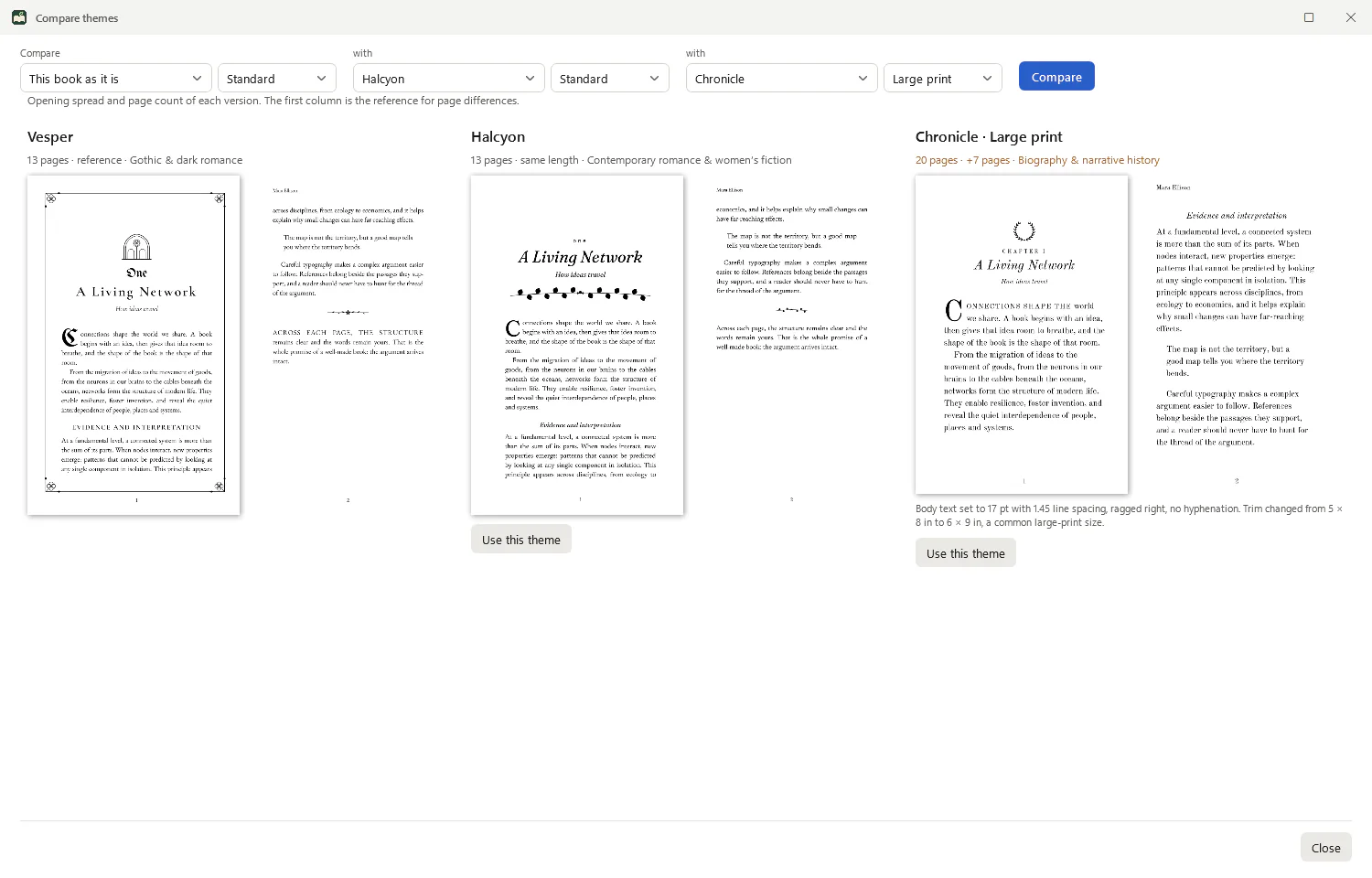
- Designed, not blank. 128 themes, each in Standard, Large print and Accessible versions, compared side by side on your own manuscript.
- Print files checked before upload. PDF/X-1a:2001 and PDF/X-3:2002 with every font embedded, and a preflight of more than 25 checks with KDP and IngramSpark profiles.
- Ebooks from the same text. EPUB 3 or 2 plus five store editions, with footnotes linked and EPUB Accessibility 1.1 metadata.
- Word in and out. Import a .docx or InDesign’s RTF, and export an editable .docx at any time.
- Picture books and color. Pro adds a picture-book designer with fixed-layout ebooks and CMYK color interiors; Academic adds citations, an index and equations.
- Try it first. The 4-day trial includes every tool; exporting needs a license.
All of them in one table
Scroll sideways on a phone. “Not stated” means the vendor publishes no claim, not that the feature is missing.
| Tool | Price | Runs on | Try first | Print standard | Ebooks | Layouts supplied | Text out |
|---|---|---|---|---|---|---|---|
| Adobe InDesign (for reference) | US$22.99 a month, annual plan billed monthly | Windows and Mac | Seven days | Any PDF/X preset; CMYK | EPUB 2.0.1 and 3.0, reflowable and fixed | Your own design | RTF per story; no .docx |
| Affinity by Canva | Free with a Canva account | Windows and Mac (iPad from 2 November 2026) | n/a (free) | PDF/X-1a:2003, PDF/X-3:2003, PDF/X-4; CMYK | EPUB 3.0, reflowable and fixed | Your own design | None (copy and paste, or EPUB through Calibre) |
| LeafBound | $79 Author, $99 Academic, one-time | Windows 10 and 11, native | 4-day trial | PDF/X-1a:2001 and PDF/X-3:2002; CMYK in Pro | EPUB 3 or 2 plus five store editions | 128 themes (14 in Author), each in three versions | Editable .docx at any time |
| Vellum | $199.99 ebooks, $249.99 with print, one-time | macOS 14 or later only | Free until you generate files | PDF/X-1a (version and output intent not stated) | EPUB 3, optional EPUB 2 and MOBI, store editions | About two dozen styles | Not stated |
| Atticus | $147 one-time | Browser; wrappers for Windows, Mac, Linux, Chromebook | None; 30-day money-back | Print PDF; PDF/X not stated | EPUB | 17+ templates plus a theme builder | Word (.docx) export |
| Scrivener 3 | $59.99 per platform | Windows and Mac | 30 days of use | PDF/X-1a in paperback compile formats (macOS 3.3) | EPUB 3 | Compile formats | Compile to .docx |
| Microsoft Word | Microsoft 365 Personal $99.99 a year, or Office Home 2024 $179.99 once | Windows and Mac | One month (Microsoft 365) | PDF; PDF/X only through Acrobat | No | KDP templates per trim | Native .docx |
| Reedsy Studio | Free (credit line on the free plan) | Browser | n/a | PDF/X-1a:2001 | EPUB 3 | 3 templates | Not stated |
| Kindle Create | Free | Windows and Mac | n/a | Print PDF, fixed margins | KPF, Amazon only | About 4, locked | No |
| Draft2Digital formatter | Free (fees if publishing through D2D) | Browser | n/a | Print PDF; standard not stated | EPUB | Fixed templates | Not stated |
| Lacuna | $149 one-time | Windows, Mac and Linux, native | Free until you export | PDF/X-1a | EPUB 3 and 2, Kobo | Not stated | Weak .docx export (reviews) |
| Cambric | $199 one-time | Windows and Mac, native | Not stated | PDF/X not mentioned | EPUB 3 | 20+ genre styles (vendor claim) | Not stated |
| Deckle | $197 one-time | Desktop, offline (Typst engine) | Free until you export | EPUB | 26 presets | Not stated |
The table has two columns the InDesign SERP never shows: whether a tool runs a printer-specific preflight, and whether the text can come back out as a Word file. Only LeafBound and Atticus state a .docx export; only LeafBound states a KDP and IngramSpark preflight. Both matter when the book needs a second edition or a second tool later.
Questions
Do I need InDesign to self-publish a book?
No. A novel, memoir, poetry collection or nonfiction book with notes can be formatted in a tool built for books. LeafBound takes your Word manuscript, supplies the layout from a theme, and writes PDF/X and store-ready ebooks with a KDP and IngramSpark preflight. For a picture book, LeafBound Pro has a picture-book designer with fixed-layout ebooks and CMYK print files.
Is there a cheaper alternative to InDesign for book layout?
LeafBound costs $79 once instead of US$22.99 a month, and it is built for books: themes instead of a blank page, PDF/X-1a:2001 and PDF/X-3:2002, a KDP and IngramSpark preflight of more than 25 checks, and EPUB 3 plus five store editions. The 4-day trial includes every tool; exporting needs a license. Free programs exist with stated limits: Affinity by Canva is a layout program you design yourself, and Reedsy Studio, Kindle Create and the Draft2Digital formatter offer a few fixed templates. None of the free tools runs a KDP or IngramSpark preflight.
What is the best InDesign alternative for book formatting?
For a book going to KDP, IngramSpark and the ebook stores from one manuscript on Windows, LeafBound: Word (.docx) in, a designed theme, PDF/X out, a preflight against the printers’ rules, store editions with accessibility metadata, and an editable .docx back out, for a one-time price. The sections above list what every option gives up.
How does Vellum compare with InDesign for novels?
Vellum supplies designed styles, store-specific ebook editions and a PDF/X-1a print file (version not stated on its site). It runs only on macOS 14 or later and costs $199.99 for ebooks or $249.99 with print, checked 3 November 2026. On Windows, LeafBound does the same job and adds what Vellum lacks: your own fonts, tables, and a KDP and IngramSpark preflight.
Can Affinity do everything InDesign does for a book?
Affinity has master pages, sections, running headers, a table of contents, an index, footnotes and endnotes, tables, a Book feature for multi-chapter files, a baseline grid, PDF/X-1a:2003 and PDF/X-3:2003 presets, CMYK, and reflowable and fixed-layout EPUB 3. A guide from 23 September 2026 lists what it lacked against InDesign: data merge, GREP styles, some finer typographic controls and the plug-in ecosystem; its release notes say data merge and scripting have since shipped. It is a layout program to learn, not a book formatter: no themes, no chapter model and no KDP or IngramSpark preflight.
Can I convert an InDesign file to another program?
Affinity imports IDML and, since September 2026, INDD files. Book formatters do not read InDesign files at all: they take a Word (.docx) manuscript. InDesign exports text per story as RTF, which LeafBound imports directly and Word opens and saves as .docx. The move-from-InDesign guide gives the route.
What happens to my InDesign files if I stop paying?
The subscription is the license. A guide from 23 September 2026 describes it as the software stops opening if you stop paying, so the .indd files stay on your disk but you need an active subscription, or someone who has one, to open them. Export IDML and a text export before you cancel.
Is LeafBound an InDesign alternative?
For text books, yes: it takes a Word (.docx), RTF, Markdown, plain text or EPUB manuscript, supplies the layout from a theme, writes PDF/X-1a:2001 or PDF/X-3:2002, runs a KDP and IngramSpark preflight of more than 25 checks, and exports EPUB 3 plus five store editions, for $79 once (Author, with 14 core themes; Pro has all 128). Tables are included, and an index comes with the Academic tools. Pro adds CMYK color interiors and a picture-book designer with fixed-layout ebooks. LeafBound does not do free page-by-page design for books such as cookbooks or textbooks with sidebars.
Keep comparing
Try the author-tool route on your own manuscript.
The free 4-day trial includes every feature: import your Word manuscript, compare three themes and run preflight before you pay.
Early access · Author from $79 once · free 4-day trial · Windows 10 and 11